
AI animation styles
AI pixel art animation: your story as a 16-bit adventure
Pixel Art draws every scene on a strict pixel grid, with no smoothing, a palette of a few dozen colours and dithered shading, like a console game from the 16-bit era. Paste a story and it comes back as a run of game screens: small heroes, detailed tiled worlds and the same characters from the first level to the last.
100 free credits · no card
What Pixel Art looks like
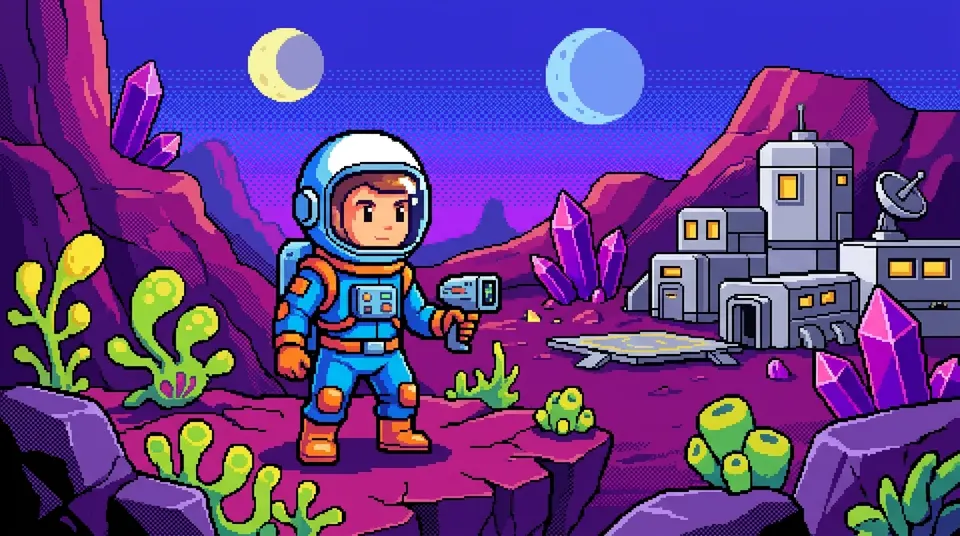
Everything is built from visible square pixels on a strict grid. There is no anti-aliasing and no smooth curve: an arc is a staircase, and that is the point. The palette is curated, sixteen to thirty-two saturated colours (electric blue, hot pink, lime, golden yellow, deep purple, warm orange), each with a ramp of three or four shades for shading. Outlines are one pixel wide in a dark complementary colour, and smooth transitions are faked with dithering, checkerboard and ordered patterns like the sky in the astronaut frame.
Light is simple, two or three tones per surface. Characters are small, 32 to 64 pixels tall, with proportions between chibi and standard, two to four heads high, and faces reduced to a few pixels for the eyes. The detail goes into the world instead: tiled ground, layered backgrounds ready for parallax, props placed pixel by pixel. The overall feel is the 16-bit console era, crisp and readable even at small sizes.
What to make with it
- Game lore and video game history
- The chronicle of an invented kingdom, the story of a legendary console, a speedrun explained. The look tells a gamer what the video is about before the title does.
- Retro sci-fi and cyberpunk
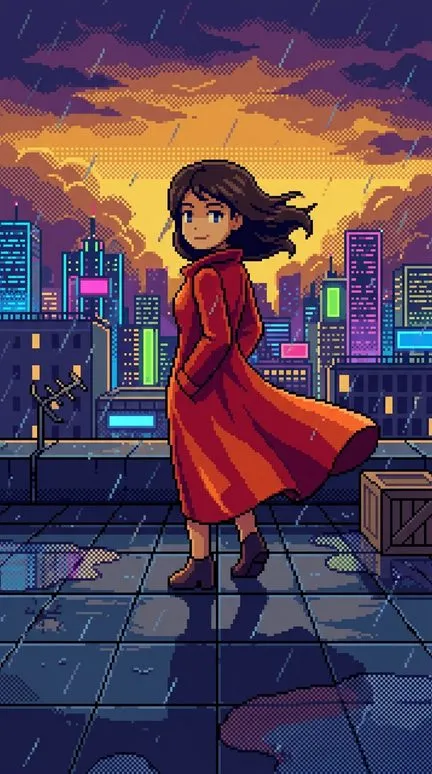
- A courier crossing a neon city, a colony on a crystal planet. Pixel worlds carry science fiction well, and the rainy rooftop above shows how much skyline fits into a few dozen colours.
- “If my life were an RPG”
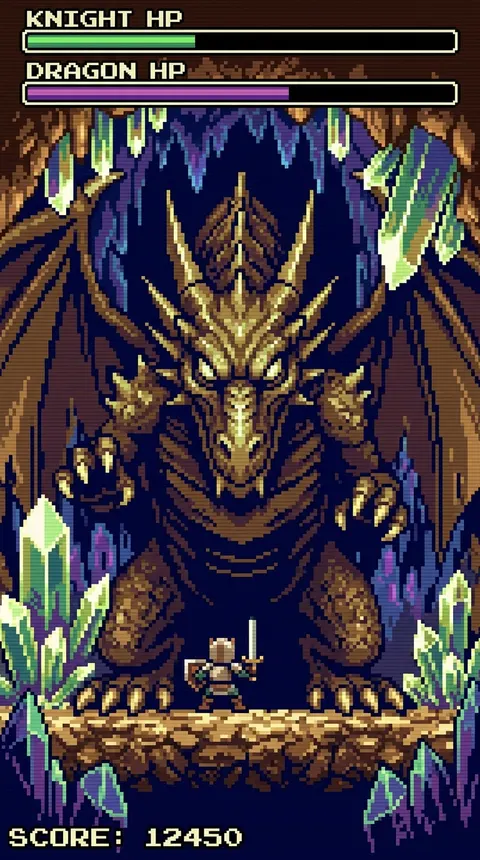
- Storytime told as quests: the job interview as a boss fight, moving house as a new region. Frames sometimes borrow game interface, like the health bars over the knight, which only helps the joke.
- Fantasy chronicles for younger viewers
- Knights, dragons, a village that needs saving. Small, readable heroes and bright colour work for kids, and their parents bring the console nostalgia.
How to make a pixel art video in Insaga
Four steps. Think like a game designer.
Paste the story as levels
Paste the story or the narration. In the Characters mode the hero, the companion and the boss each get a reference sheet; at this resolution the sheet mostly fixes colours and silhouette, which is how a player recognises a hero anyway.
Choose Pixel Art
In the “Choose a style for your story” window, pick Pixel Art. Every frame is drawn on the pixel grid.
Use Objects for worlds without people
A tour of spaceships, castles or an invented city works well in the Objects mode, which is built around landmarks, vehicles and architecture rather than people.
Voice it and export
Pick a narrator from 6,000+, add your own music and export an MP4 in 1080p or 4K.
Pixel Art and its neighbours
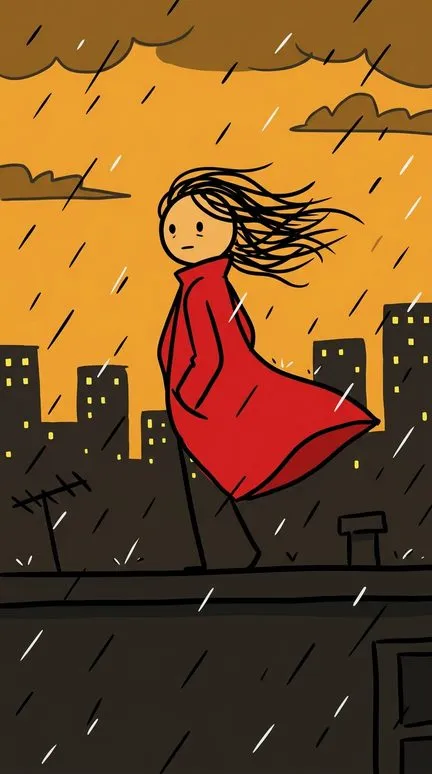
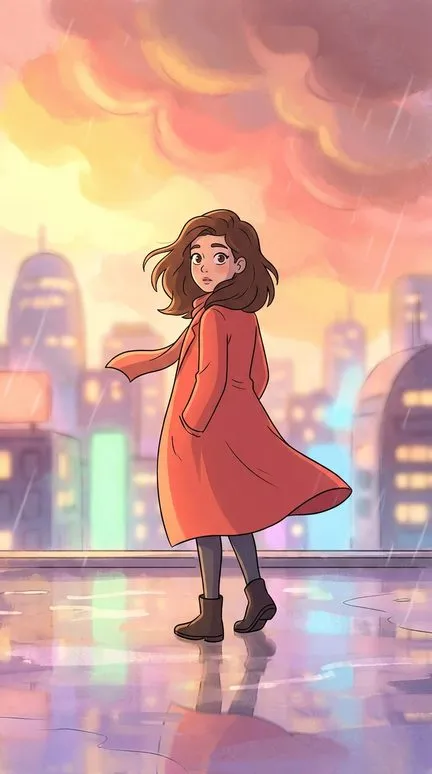
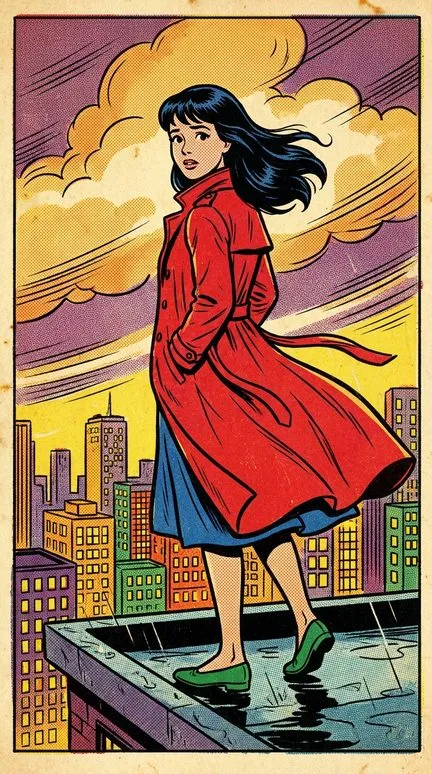
Stickman is the other small-figure style, but drawn in marker on a white page: circle heads, line limbs and no world around them. 2D Animation has smooth vector lines, soft gradients and big expressive eyes, everything pixel art refuses. Retro Comics is nostalgia from print rather than from a console: ink outlines, halftone dots and 1950s faces. Pixel Art is the only one of the four where the world gets more detail than the people in it. Below, the heroine in the red coat in all four.
Writing for pixels
Think in screens. Each scene should have one place, one or two characters and one clear thing happening, the way a level has a single goal. Put the drama into the world and the poses rather than the faces: at this size a frown is two pixels, but a hero kneeling before a dragon three times his height reads instantly. Name items and landmarks (a key, a ruined tower, a glowing crystal), because props are where the style spends its detail.
It is the wrong choice for subtle drama that lives in close-ups, for documentaries about real people and for anything that should look realistic. Long dialogue scenes turn into rows of the same small figures. And the style draws invented game worlds: characters and logos from existing games are off-limits, so design your own hero and give him a colour scheme you could spot in eight pixels.
Questions about this style
Will the hero move like a game sprite?
No. On the Studio plan the animation model moves the whole frame into a clip of about eight seconds; it does not play a sprite's walk cycle frame by frame. Treat a clip as a living game screen, not gameplay. If a clip loses its crisp pixels, keep that scene as a still with a camera move.
Why is there a health bar in my frame?
The style sometimes borrows game interface, like the health bars and the score around the knight above. If you don't want it, redraw that frame.
Can I get an 8-bit look instead of 16-bit?
The built-in style aims at the 16-bit era: a curated palette and dithering. For a harsher 8-bit look, build a custom style from your own reference images, available from the Director plan up.
Do characters stay recognisable when they are this small?
Yes, through the reference sheets, but at this size recognition comes from colour and silhouette. Give each character one bold colour and one shape: a red coat, a pointed hat, a round helmet.
Can I export a GIF or a sprite sheet?
No. Insaga exports MP4 video, and the frames themselves download as images in a ZIP.
Keep going
Start at level one
Paste a story, pick Pixel Art and see your first screens before you pay: 100 free credits, no card. Animation, voiceover and export are on paid plans.