
Consistent character AI video generator
Consistent characters in every AI video scene
Many AI video tools draw each shot from a fresh description, so the hero's face, coat and height wander from clip to clip. Insaga draws the cast before the story: a reference sheet for every character and every place. Each frame is drawn from those sheets and only then animated, so the character who walks into the final scene is the one you approved at the start.
100 free credits · no card
Why AI characters drift from shot to shot
Anyone who has tried to make an AI video with the same character knows the pattern. The first clip is right, the third has a different jaw, the fifth has lost the scarf. That is not bad luck. It follows from the way many generators are built.
Every clip starts from zero. A video model reads the prompt and invents someone who fits it. “A young man in a violet scarf” fits millions of faces, and the model picks a new one each time. A more careful description narrows the range, but it never closes it.
One reference picture shows a face, not a whole character. Many tools let you attach a single image. A portrait says nothing about the boots, the back of the coat or how tall the hero is next to his sister, so the model fills those gaps again in every shot. The face holds and the costume wanders.
Chained clips pass mistakes along. Starting each clip from the last frame of the one before looks like a cure, but every small error, a longer nose or a paler scarf, becomes the reference for the next shot. After twenty clips the hero has drifted twenty small steps.
Words and pictures disagree. When a prompt describes the hero in text and also carries an image, the two never match exactly, and the model settles somewhere in between.
A story is long. A short ad can live with a little drift. An episode runs to dozens of frames and a series to hundreds, and viewers look at every one. At that length AI character consistency has to come from the process itself, not from checking each frame by eye.
Character reference sheets come first
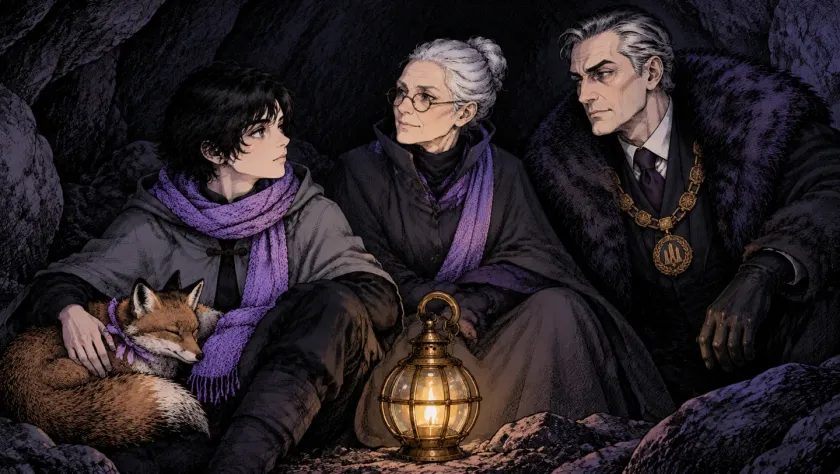
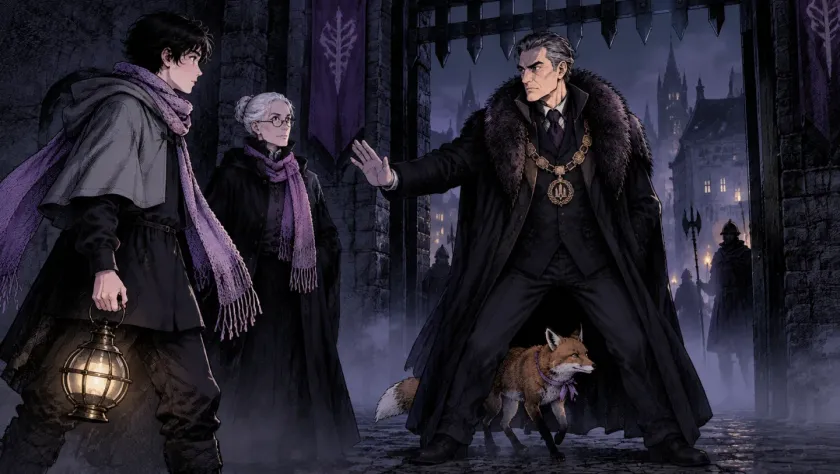
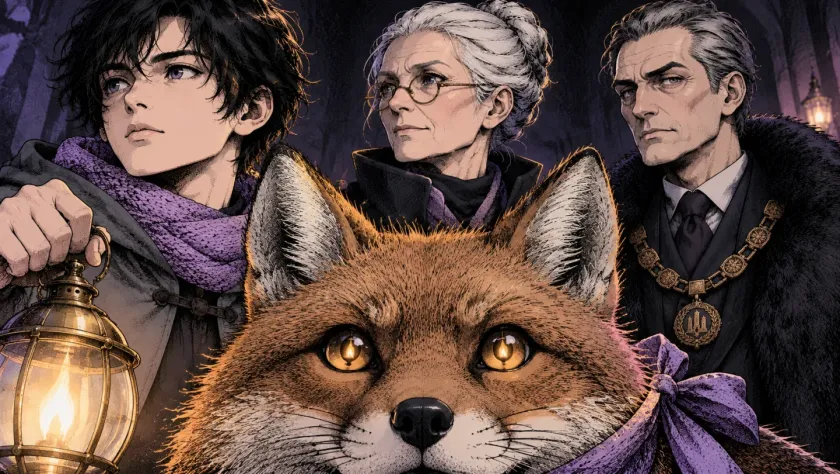
The three frames above are from «The Lamplighter», a short film made in Insaga with a cast of four. In Characters mode every character gets a sheet before the first scene is drawn: the character three times on a plain background, full length from the front, in a three-quarter pose and as a close-up of the face with an expression, so the model sees the whole costume and not only the face. Here is the cast.
The cast of «The Lamplighter»
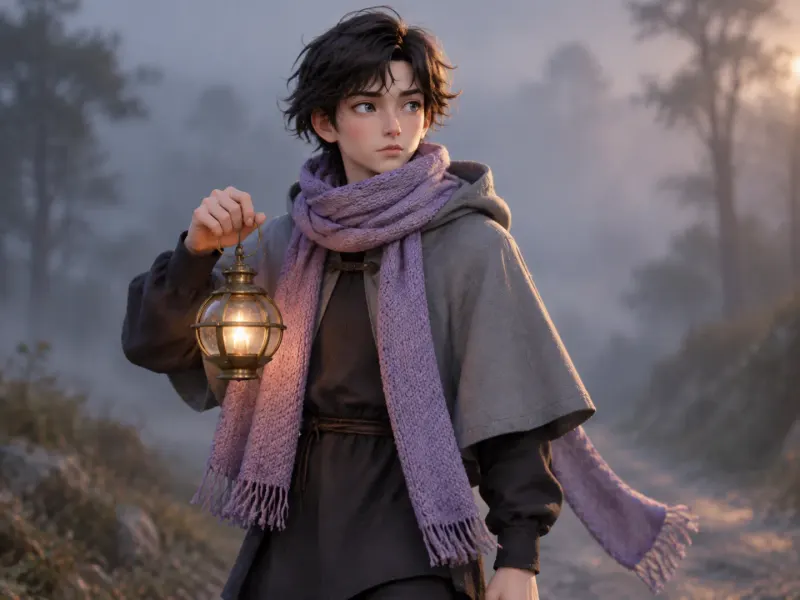
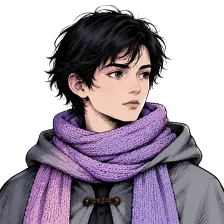 The traveller
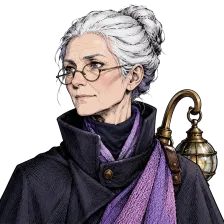 The lamplighter
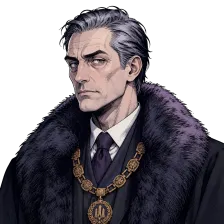 The mayor
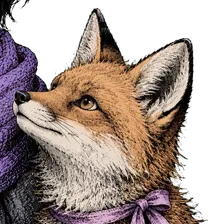 The fox
Hold the portraits up against the frames. The traveller's untidy black hair and grey cape with its toggle, the lamplighter's silver bun and round glasses, the mayor's fur collar and gold chain, the ribbon on the fox: all of it survives a dark cave, a confrontation at the city gate and a close-up where the fox fills half the frame. These are exactly the details a single face reference cannot carry.
How to make an AI video with the same character, step by step
Here is what happens between pasting a story and watching the finished clip, and where you can step in. The order is the whole trick: the cast is settled while changing it is cheap, and every frame after that inherits it.
The story is read for its cast
Insaga finds everyone who acts or speaks: people, animals, creatures, a robot with a mind of its own. Cars, boats and weapons are not characters. With the Cinematic camera they become signature objects with reference pictures of their own, so the hero's car is the same car in every chase.
Every character gets a sheet
Three views on a clean background: full length from the front, a three-quarter pose and the face with an expression. Animals and creatures are drawn as creatures, without clothes or gear the story never gave them. When a character changes over the story, levels up or transforms, each stage can get a sheet of its own, and the later stage is drawn from the earlier one so it still reads as the same character.
Every place gets a sheet
Locations are drawn as empty establishing shots with nobody in them, so a place never brings a stranger into a scene. The kitchen, the forest or the city gate looks the same each time the story comes back to it.
You approve the cast
Generation stops here and shows you the characters and locations. Redraw a sheet, correct it with a short instruction such as “make the cape longer”, or upload your own picture onto a character and let the sheet be redrawn from it in the project's style. A fix at this point costs one sheet instead of forty frames.
Each frame is drawn from the sheets
For every shot, the sheets of the characters in it and the sheet of the place go to the image model as reference pictures. Next to each sheet the prompt puts only the character's name and age, not a second description of their looks that could argue with the picture. Frames are not chained: shot 13 is drawn from the sheets, not from shot 12, and a small slip stays in the frame where it happened.
A redraw keeps the cast
Redraw a frame you don't like and it is drawn again from the same sheets, in the project's style and with the image model the project was made with. The frames around it stay as they are, and a single frame can also be corrected with a short instruction. If you change a sheet after the scenes are drawn, the frames already made keep the old look until you redraw them.
Then the frames move
On the Studio plan each approved frame becomes a video clip of about eight seconds in 16:9, and image and animation generation there is unlimited. The clip starts from the frame you approved, so the character who moves is the character on the sheet. Voices, music and subtitles are added on the timeline afterwards.
Four story modes, and which of them keep a cast
The Mode switch in the studio decides what gets a reference sheet before any scene is drawn. For a recurring cast, stay in Characters or Dynamics.
| Characters | Dynamics | Objects | Illustration | |
|---|---|---|---|---|
| What gets a sheet | Every character and every location | Every character; the surroundings are described scene by scene | Landmarks, vehicles and buildings, from several angles | Nothing: each scene is drawn straight from the text |
| Recurring cast | Yes, with poses and expressions | Yes, with full sheets | No: the subject is a place or a machine | No |
| Good for | Films, series, cartoons, any story with a cast | Stories on the move, where the setting keeps changing | Travel, architecture, cars, the history of a place | History narration, explainers, educational videos |
| Image models | Nano Banana 2 or GPT Image 2.5 | Nano Banana 2 or GPT Image 2.5 | Nano Banana 2 or GPT Image 2.5 | Any, and the only mode for Nano Banana Pro |
| Camera presets | Cinematic, Portrait, Panoramic, Dynamic | Portrait, Panoramic, Dynamic | Portrait, Panoramic, Dynamic | Panoramic, Dynamic |
Nano Banana Pro is in the studio for illustration projects, where every scene stands on its own; it does not work from character sheets, so the studio keeps it in Illustration mode. For a hero who has to look the same in every frame, choose Nano Banana 2 (the default) or GPT Image 2.5 in Characters mode; if you can't decide between them, test both on the opening scene before drawing the rest. Illustration is the fastest of the four.
One traveller, eight looks
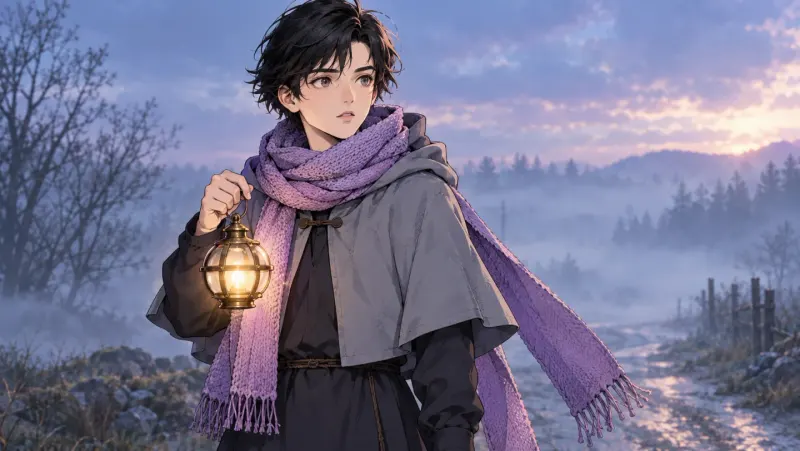
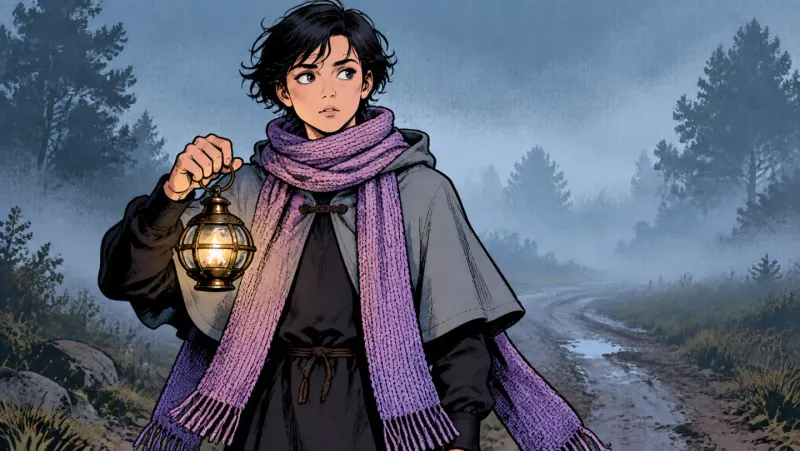
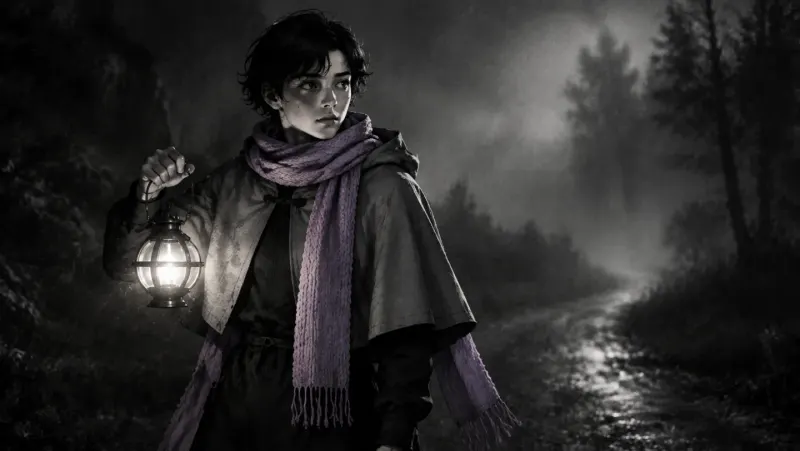
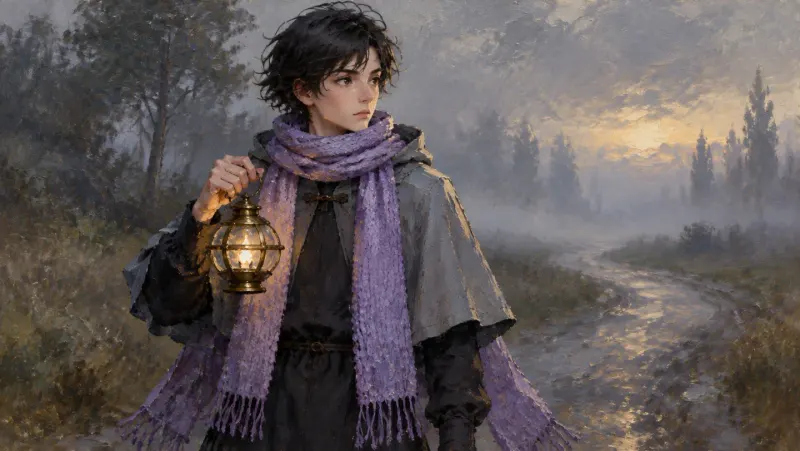
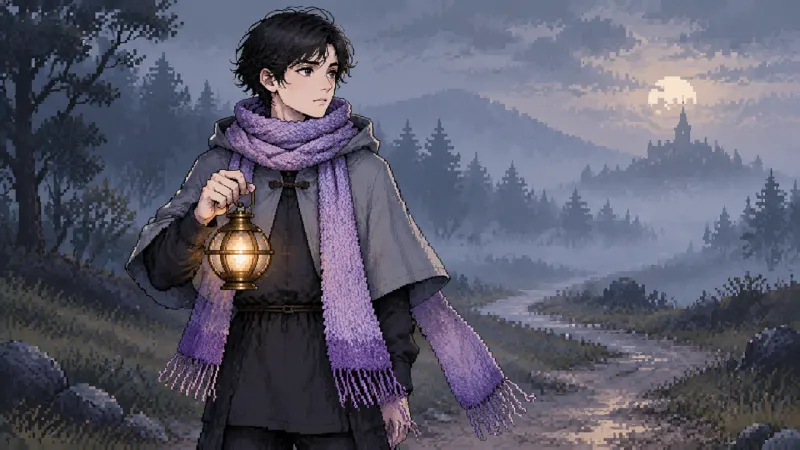
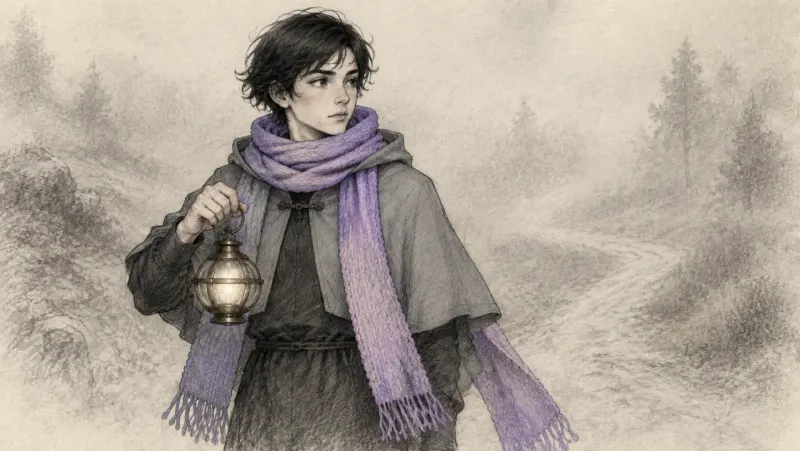
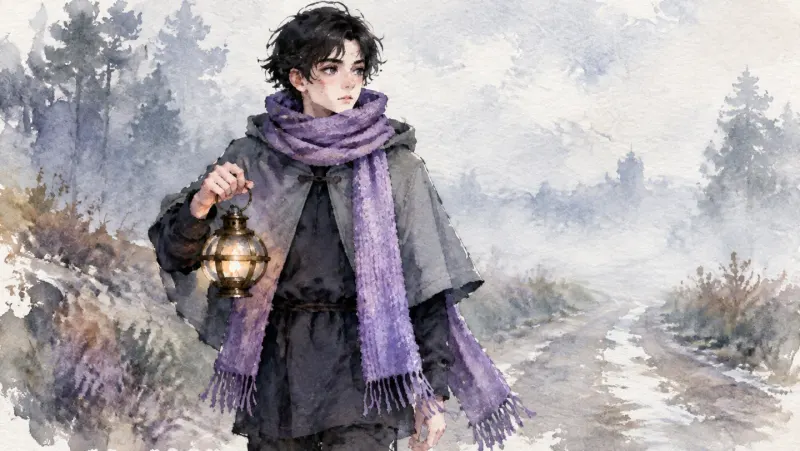
Here is the traveller from «The Lamplighter», drawn in Insaga in eight different looks. The untidy black hair, the grey cape with its toggle, the long fringed violet scarf and the brass lantern come through every one of them, even noir, where everything else turns grey.
Animals and creatures keep their design too
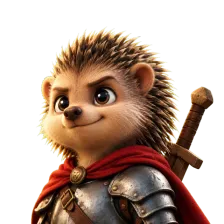
Animals and creatures get sheets as well. These two come from a fairy tale made in Insaga in a warm 3D look: a hedgehog knight and a baby dragon who cannot leave a pie alone. A creature's sheet fixes spines, scales, wing colour and the size of the horns the way a person's sheet fixes a face and a coat.
The two heroes
 The hedgehog knight
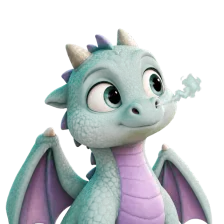 The baby dragon
The same two, frame after frame
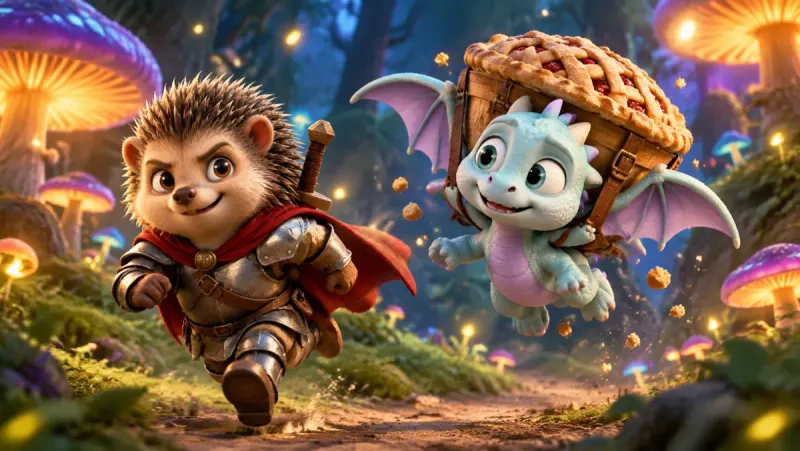
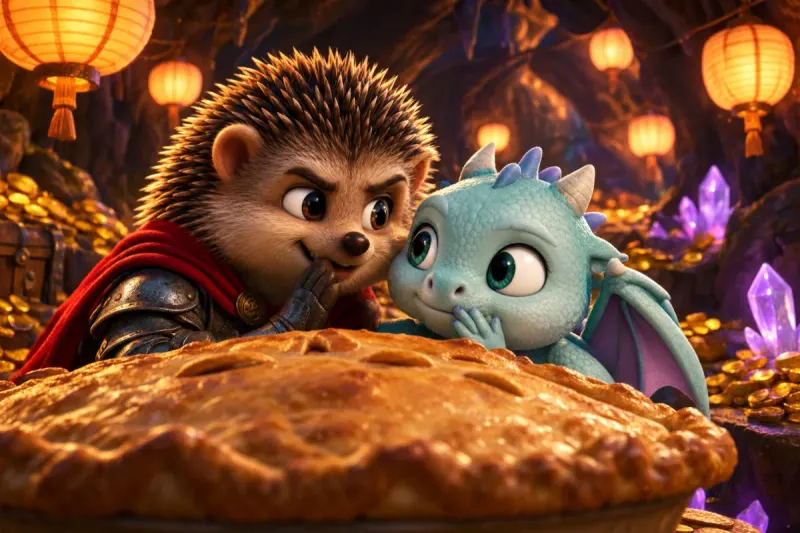
The red cape, the dented steel armour and the sword over the knight's shoulder; the mint scales, lilac wings and stubby horns of the dragon. They hold at a run through a forest of glowing mushrooms and in the lantern light of a treasure cave, two settings with nothing in common but the cast.
Episode two: bringing the cast back
A new project starts with a new cast, even when the heroes are old friends. They come back through their pictures, so download every character's picture when an episode is finished. The routine for the next one is short:
Paste the next episode. Insaga reads the new text and designs its cast, returning characters included.
Upload the saved pictures. On the cast screen, upload each returning character's picture from the previous episode onto that character. The sheet is redrawn from your picture in the project's style.
Compare before you approve. Put the new sheets next to the old ones. If a detail slipped, redraw the sheet or correct it with a short instruction, and only then approve the cast. Describe the heroes' clothes in the new episode the same way the first one did, so the text and the picture agree.
Keep everything else the same. The same style, or the custom style you saved, and the same voices. Newcomers get fresh sheets the first time they appear and are drawn from them in every scene after that.
Questions about consistent characters in AI video
How many frames can a character stay consistent for?
There is no point where the sheet wears out. Frames are not chained to each other, so frame 300 is drawn from the same sheet as frame 1, and a long story ends as consistent as it starts. Each frame is still a new drawing, so a fold of the cape or the shade of a scarf can vary a little; when a frame slips further than that, redraw that frame on its own.
Can I upload my own photo or drawing of a character?
Yes, onto any character on the cast screen (JPEG, PNG or WebP, up to 5 MB). Insaga redraws that character's sheet from your picture in the project's style, and the frames follow the sheet. Treat the result as a drawn character based on your picture rather than a copy of it: look at the new sheet before you approve the cast and redraw it if something is off. Upload only pictures you have the rights to; photos of public figures are refused.
Does it work for animals, creatures and objects?
Animals and creatures are characters like anyone else, with sheets that draw them as creatures rather than people. With the Cinematic camera, signature objects such as a car, a sword or a key get reference pictures of their own. If the video is about a place or a machine rather than a cast, use Objects mode: landmarks, vehicles and buildings get sheets from several angles.
Can a character be a child, or grow up during the story?
Children are characters like any other, and the frame prompt carries each character's age next to their sheet, which helps a child look the age the story gives them. If the story jumps years or a character transforms, write the change plainly into the text. Each stage can then become its own version of the character with its own sheet, drawn from the earlier one, and every scene uses the version that fits its moment in the story. Check those sheets before you approve the cast.
Can a character change clothes between scenes?
Not by default, and on purpose: the costume on the sheet is the costume in every frame, which is what stops outfits from wandering. For a scene where the hero really is dressed differently, correct that frame with a short instruction such as “she wears a white wedding dress”. The frames before and after keep the sheet's costume.
Can several characters appear in one frame?
Yes. Every character in the shot brings their own sheet, and the place brings its sheet too. A frame carries up to ten reference pictures, characters first, so a scene with five or six named people still gets every sheet. In a crowd, the named characters come from their sheets and the extras are drawn from the text.
Will my characters look the same in the next episode?
They will if you bring them back. Projects do not share a cast automatically: upload each returning character's picture from the previous episode onto that character, check the redrawn sheet, and keep the same style and voices. The section above walks through it.
If I change the style, does the character stay the same?
A project is drawn in one style from the first frame to the last, which is part of what keeps it consistent. To put the same hero into a different look, start a new project in that style and upload the hero's picture onto the character. The sheet is redrawn in the new style and the frames follow it. The traveller above shows how much of a character can survive a change of look.
Keep exploring
Meet your cast before the first scene
Paste a story and look at the sheets before anything else is drawn. The first 100 credits are free and need no card, enough for the sheets and the first frames.
Works in the browser. No install.
Insaga is not affiliated with, endorsed by or sponsored by Google or OpenAI. Nano Banana and GPT Image are named here only to say which image models are available in Insaga. The frames on this page were made in Insaga.