
AI storyboard generator
AI storyboard generator from your script
Paste a scene or a whole screenplay and get a storyboard back: numbered frames drawn from your text, with the same characters and the same locations from the first panel to the last. You decide how the camera covers the action, fix single frames without touching the rest and download the board as one archive. Your first board can be drawn on free credits; on the Studio plan the same frames become an animatic.
100 free credits · no card
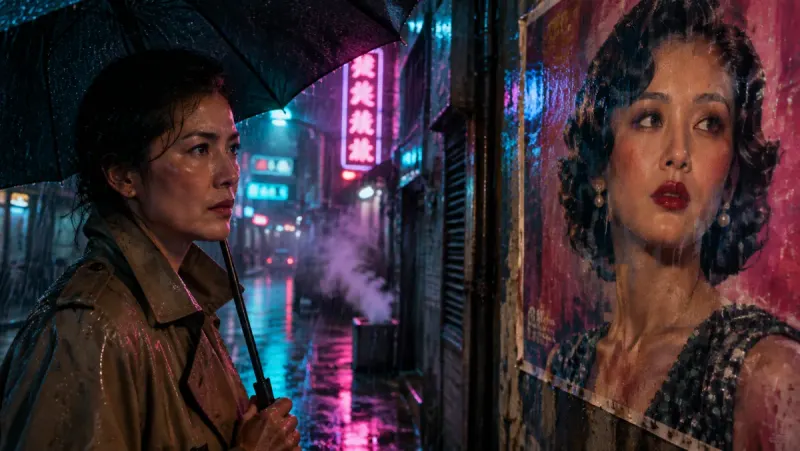
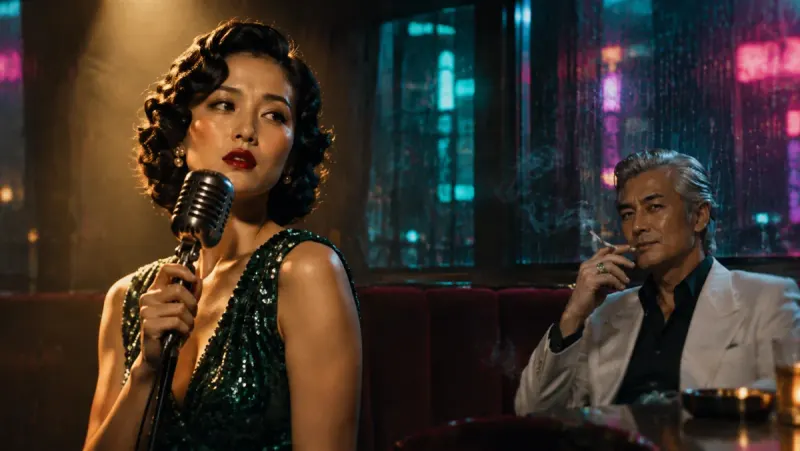
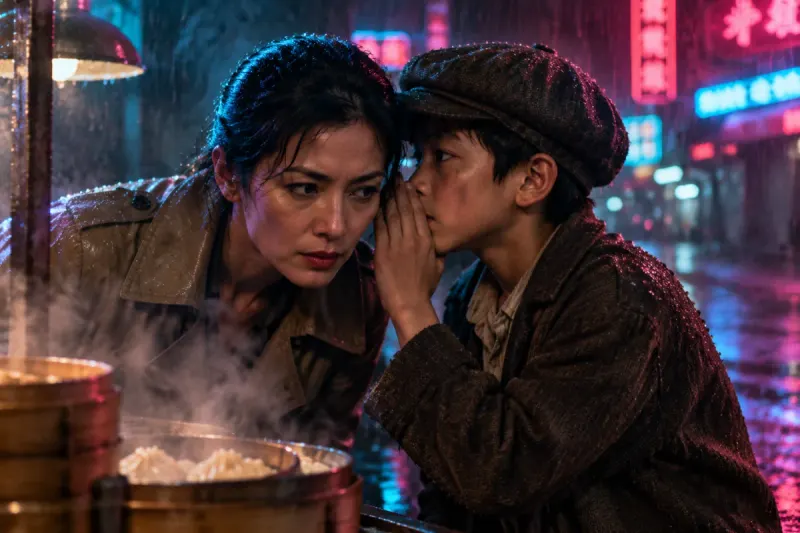
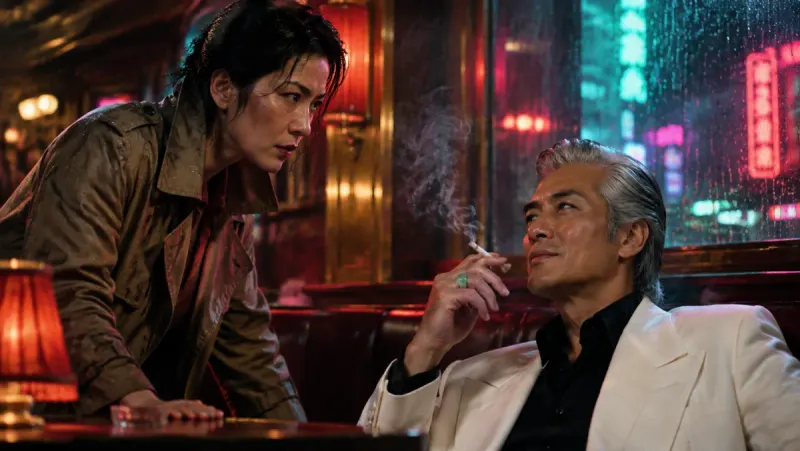
How a script becomes a storyboard
A storyboard answers three questions for every beat of a script: what we see, how close we are and in what order it cuts. Insaga answers them from your text, and leaves you the decisions a director would want to keep: how many frames, which camera, which frames to redo.
Paste the script
A screenplay with scene headings, a treatment, a short story or a single scene: paste it or import a .txt file. Character names above their lines help, but plain prose works too. Then pick one of 100+ styles, from Sketch (pencil, loose lines) to noir, comics or cinematic, and the frame: widescreen 16:9 or CinemaScope 2.35:1.
Set the number of frames
The frame count is yours. Insaga suggests one from the length of the text and, as you move the slider, shows how many sentences and how many seconds of reading fall on each frame. A low count gives you the key moments; a high one gives you full coverage. Switch on fixed timing and every frame gets an equal share of the text, which keeps a steady rhythm for a voiceover later.
Pick a camera
Four presets decide which shot sizes the board uses and in what order: Cinematic, Portrait, Panoramic and Dynamic. Hover over one to watch a short preview. The camera is set for the whole project, so the board keeps one visual grammar from the opening frame to the last.

A three-character medium shot from an anime adventure boarded in Insaga. Check the cast and the places
In Characters mode Insaga draws a sheet for every character and every recurring location before the first frame. A note like “she should be older” or “the bar is smaller” costs least here, because every frame is drawn from these sheets. Redraw a sheet, change it with a sentence, or give a character a picture of your own.
Review the board
Open any frame and you see, next to it, the passage of your script it was drawn for, the location and who is in the shot. A frame that misses is redrawn on its own; select several to redraw them together; or describe a change in words, such as a happier expression, a blue coat instead of a red one or a pair of glasses, and choose between the original and the new version. A redraw or an edit costs one credit; on Studio images are not counted.
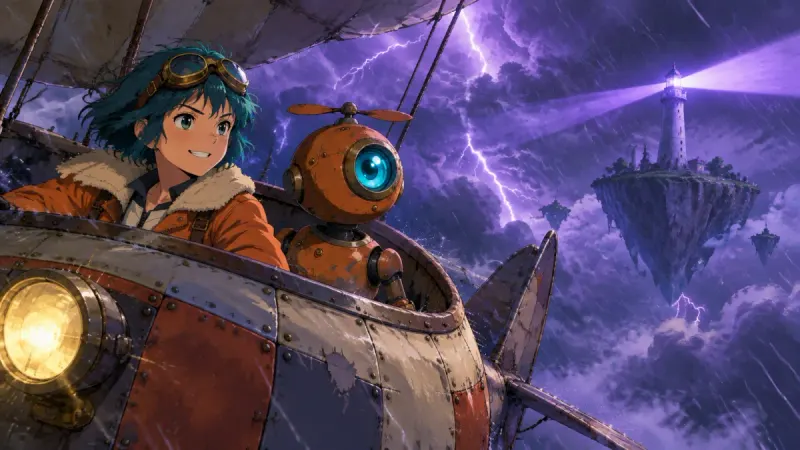
An action frame from the same story: one frame can be redone without touching the others. Download it, or animate it
Download ZIP hands you the whole board in one archive, described below. On the Studio plan the approved frames animate into clips of about eight seconds, which the timeline cuts into an animatic.
Four cameras: the shot language of your board
Most of storyboarding is coverage: how wide, how close, from what height, in what rhythm. Insaga packs those choices into four camera presets. Each one sets a cycle of shot sizes and angles, and the frames are planned from your text through that cycle.
- Cinematic
- The full film cycle, shaped by the genre of the story: wide establishing shots, medium shots, close-ups and over-the-shoulder, with low, eye-level and high angles in turn. The first frame is always a wide shot from a low angle that sets the scale. Cinematic also tracks the props a story keeps returning to, such as a lantern, a car or a sword, so they match from frame to frame. Available in Characters mode.
- Portrait
- Faces and reactions. After one wide frame for context, the board stays on medium close-ups, close-ups and over-the-shoulder shots, mostly at eye level. The natural choice for dialogue, drama and any scene carried by performance. Not available in Illustration mode.
- Panoramic
- Scale and place. Wide and extreme wide shots lead, and close-ups come in as emotional anchors. Suits journeys, fantasy worlds, landscapes and any story where the setting is a character in its own right.
- Dynamic
- Energy and cutting. All seven shot types with hard contrasts between them: a Dutch angle as an accent, low-angle power shots, a build towards extreme close-ups. For action, chases and fast-cut sequences.
One sequence, from wide to close
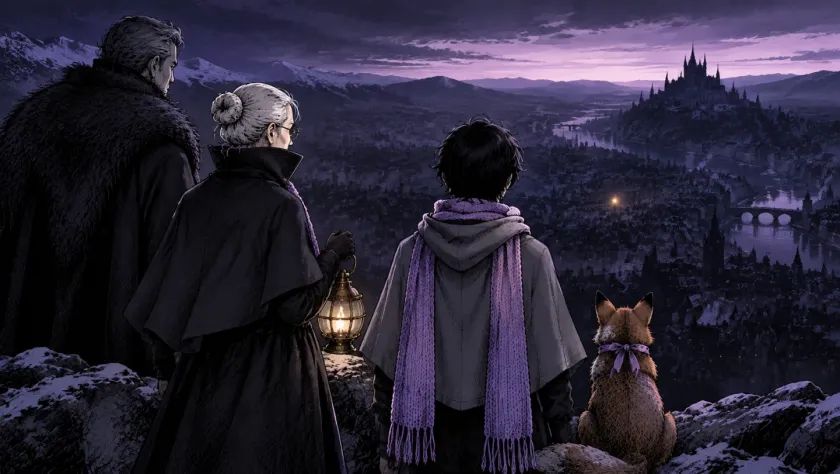
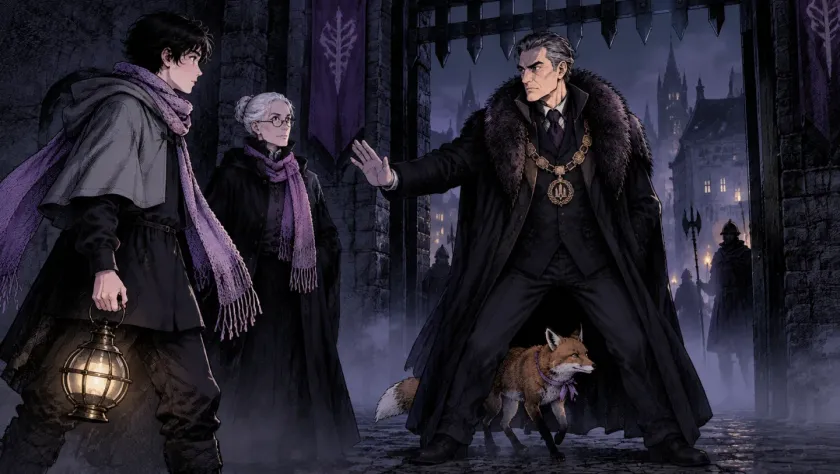
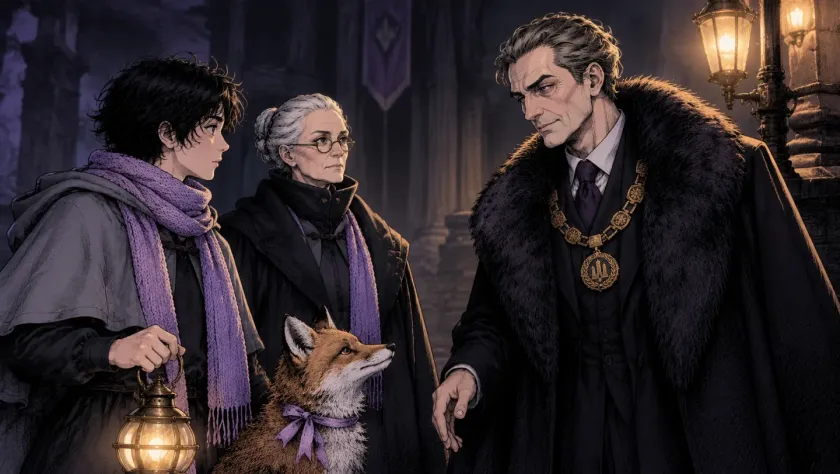
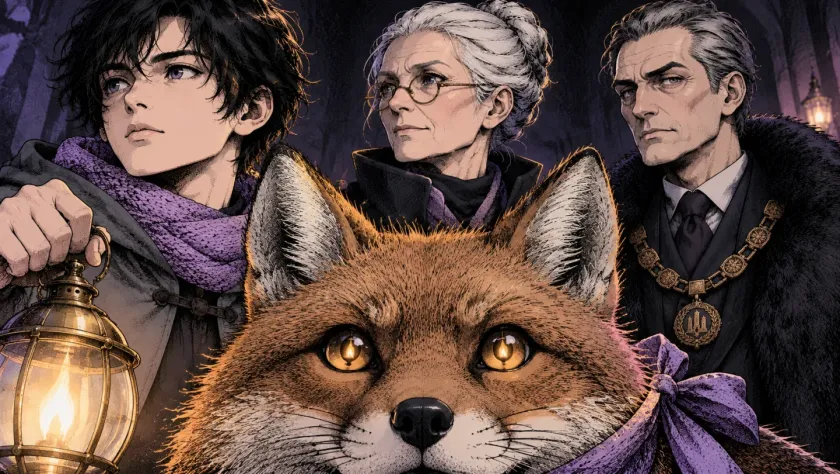
Four frames from a short story made in Insaga, in story order: a city seen from a ridge, a stand-off at the gate, a conversation, and a close-up that ends on the fox. The shots tighten as the story does, which is exactly what a board lets you check before anything is animated.
Characters, places or objects: which mode to board in
Characters is the mode for most scripts. Insaga finds the people and creatures, draws sheets with poses and expressions, designs the locations the story returns to and builds every frame around what the characters do. All four cameras work here.
Dynamics keeps the character sheets but does not fix the locations: each frame describes its surroundings from the plot. It suits road movies and chases, where the background never repeats.
Objects is for boards without a cast: landmarks, vehicles, architecture, a product. The subject gets reference sheets from cinematic angles and is shown from different sides. People are kept out of the frame by default; switch that off when someone should appear.
Illustration skips the sheets and draws each scene straight from the text. It is the fastest mode and fits history, explainers and teaching material, where no face has to recur from frame to frame.
What is in the downloaded archive
The Download ZIP button packs the board into one archive. The frames sit in their own folder, numbered in story order. The character sheets and the locations get folders of their own, so the art department sees the cast and the sets next to the shots.
Beside the pictures is a text file that works as a shot list: for every frame number it gives the passage of your script the frame illustrates, the characters in it, the location and the line of dialogue, if there is one. When you download from the frames screen, a second file lists a suggested camera move and the action for each frame, written as animation prompts.
Frames you have already animated are added as video clips under the same numbers, so the stills and the moving versions line up.
The download is not tied to a plan. A board drawn on the free credits downloads the same way as one drawn on Studio, and the frames go straight into a slide deck, a treatment or your editing software.
Insaga or a classic storyboard program
Storyboard programs built for artists give you control over every panel. Insaga starts from the other end, the text, and draws the board for you. The trade-off is worth knowing before you choose.
| Insaga | Classic storyboard program | |
|---|---|---|
| Where the frames come from | Drawn from your script, frame by frame | Drawn or assembled by you, panel by panel |
| Characters and places | Designed once as sheets and reused in every frame | Redrawn or re-posed by hand in each panel |
| Camera | A preset plans the shot sizes and angles for the whole board | You set the framing of each panel yourself |
| Arrows, notes, panel captions | Not drawn on the frame; the frame view and the archive carry the script line, the cast and the location | Drawn and typed onto the panel |
| Printable sheets | No PDF layout; frames download as numbered images | Usually print or PDF export |
| Motion | Frames animate into clips of about 8 seconds on Studio and are cut on a timeline | Usually still panels timed to sound |
A general comparison: tools differ. If you need camera arrows and annotated, printable panels, a dedicated storyboard program is still the right tool, and Insaga's numbered frames can be its starting point.
From storyboard to animatic
On the Studio plan the approved frames turn into video. Animate the whole board at once, every second or third frame, the first 40 or 80, or one frame at a time; if a shot should move in a particular way, describe the motion in a sentence. Each clip runs about eight seconds, in 16:9.
The clips carry no dialogue and no music. Voices, music and subtitles are added in the editor, where the timeline lays the clips under the narration, and the finished cut exports as an MP4. On Studio, image and animation generation is unlimited, so a board can be redrawn and re-animated as often as the edit needs.
A board can also become an animatic without animation: on paid plans the still frames go onto the timeline under a voiceover, and each can get a camera move, a slow push-in or a pan.
Who boards with Insaga
Directors and cinematographers before a shoot. Board a scene the night before a recce, compare Portrait with Cinematic on the same dialogue, and arrive on set with a shot list that already has pictures in it.
Music video and commercial directors at the pitch stage. A client reads six frames faster than two pages of treatment, and a CinemaScope board shows the look of the finished piece before a day is booked.
Agencies. Walk a client through a spot frame by frame before there is a production budget, with the same cast in every frame, and change a frame during the meeting instead of after it.
Screenwriters. Attach a board of the key scenes to a script, or find the scene that drags before a producer does.
Film students. Learn coverage by boarding the same scene with different cameras, and hand in a storyboard for a class project without having to draw it.
Questions about the AI storyboard generator
Can I make a storyboard from a script for free?
Yes, within the free credits. A new account gets 100 credits once, with no card. Every picture costs one credit, whether it is a character sheet, a location or a frame, so 100 credits cover a short scene with its cast, or a longer board in Illustration mode, which draws no sheets. The finished board downloads as an archive on any plan; animating the frames needs Studio.
How many frames will my script get?
As many as you set. Insaga suggests a count from the length of the text, and the frame counter shows how many sentences and how many seconds of reading land on each frame. Raise the count for full coverage of a scene, lower it for key frames only.
Can I choose the shot size of one particular frame?
Not from a menu. The camera preset plans the shot sizes for the whole board. For a single frame, redraw it for a new take, or describe a change in words and keep the version you prefer. If the rhythm of a whole scene is wrong, board it again with another camera: Portrait for talk, Panoramic for scale, Dynamic for action.
Can I export the storyboard as a PDF?
No. The board downloads as a ZIP: numbered frames, character sheets, locations and a text file that lists, frame by frame, the passage of the script, the characters, the location and the dialogue. Lay the frames out in your own storyboard template, slide deck or editing software.
Does a storyboard need characters? What about a product or a building?
No. Objects mode boards landmarks, vehicles, architecture or a product from several angles and keeps people out of the frame by default. Illustration mode draws each scene straight from the text without a recurring cast.
Can I turn the storyboard into an animatic?
On Studio, yes. The frames animate into clips of about eight seconds, and the timeline cuts them under a voiceover with your music and subtitles. The clips themselves carry no voices or music; those are added in the editor.
Can I show the frames to a client?
Yes. What you make in Insaga comes with a licence for commercial use under the Terms, so a board can go into a pitch deck, a treatment or a production document.
Which style looks most like a classic storyboard?
Sketch: pencil and loose lines. Noir gives a black-and-white board with hard contrast, and the comic styles give clean ink. For a pitch that should look like the finished film, choose Cinematic.
Keep exploring
Board your first scene
Paste a scene, pick a camera and look at the frames. Your first 100 credits are free, and you do not need a card.
Works in the browser. No install.