
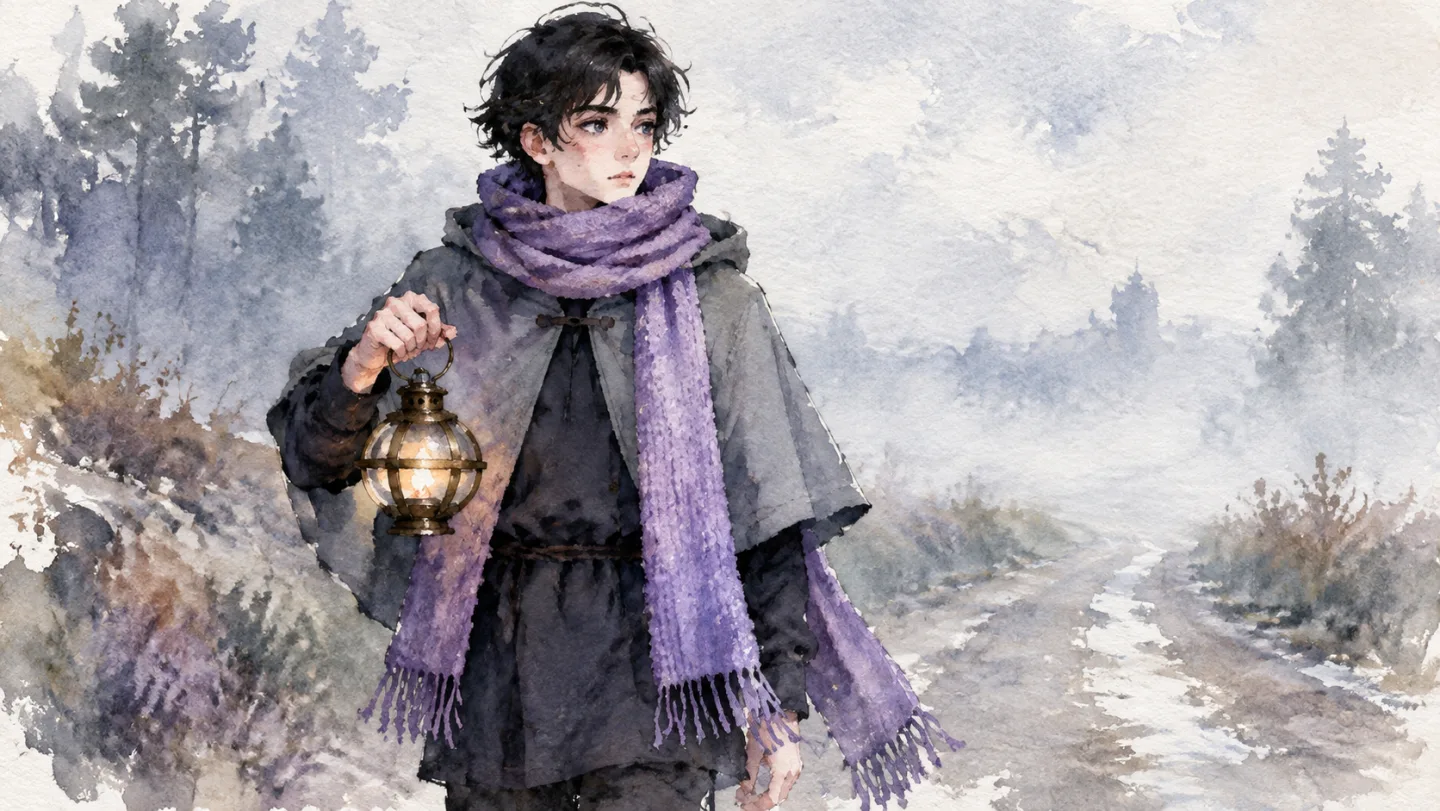
Watercolor
Soft washes and the grain of paper. A calm choice for bedtime stories and gentle tales for the youngest viewers.
AI cartoon generator
Paste a fairy tale, a bedtime story or the script for next week's episode. Insaga splits it into scenes, designs each hero once and keeps them the same from frame to frame and from one episode to the next. Then you give every character a voice, add subtitles and music, and export the cartoon.
100 free credits · no card
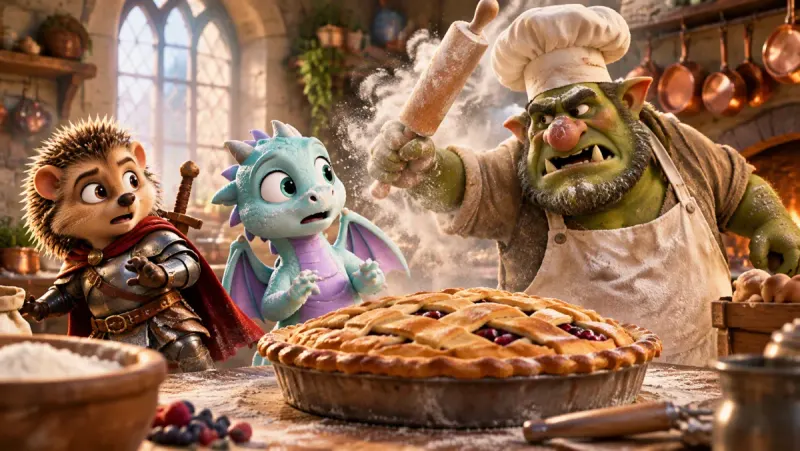
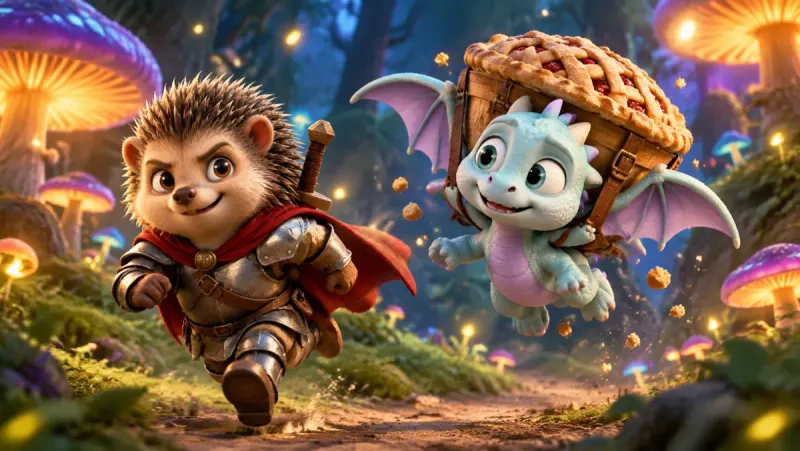
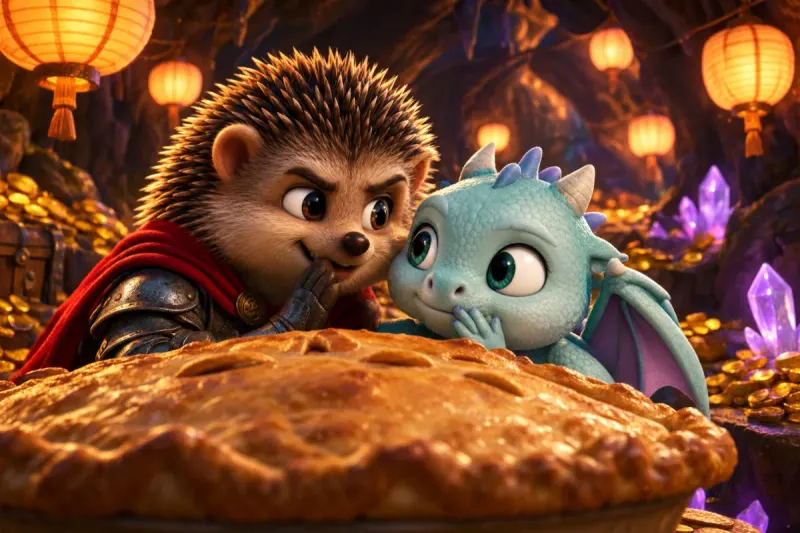
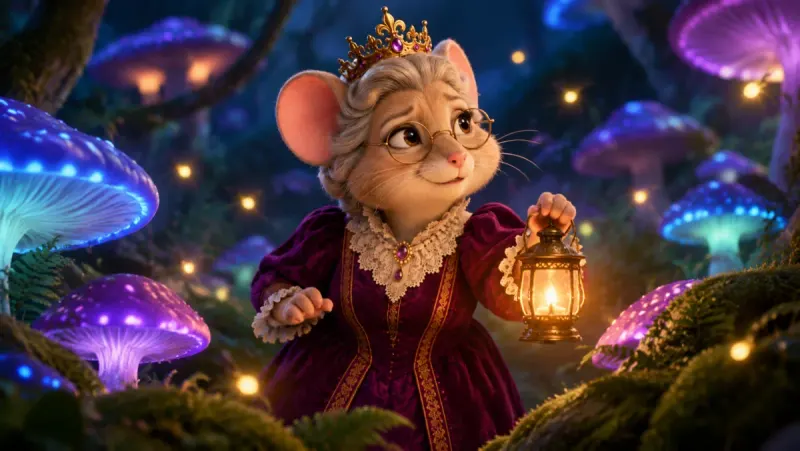
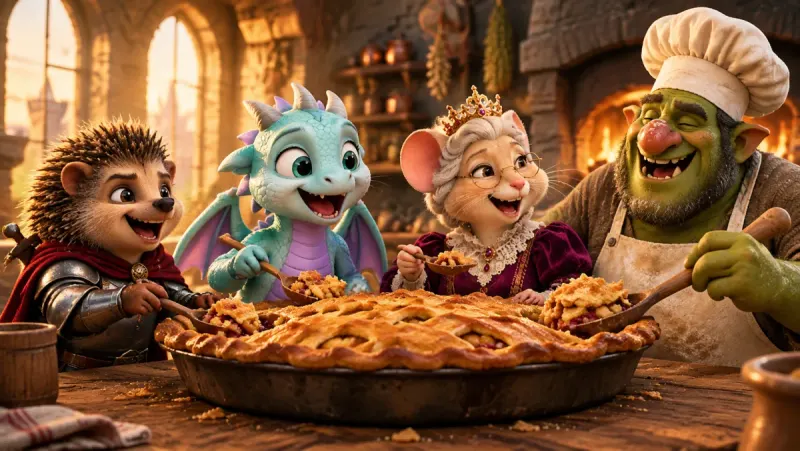
A hedgehog knight, a baby dragon who cannot walk past a pie, a mouse queen and a troll who runs the castle kitchen. Each of them was designed once, as a reference sheet, before a single scene was drawn. The whole world is drawn in a warm 3D look, and the frames at the top of this page come from one of its stories: the pie goes missing, the cook gives chase, and everyone ends up at the same table.
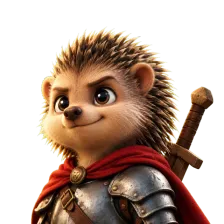 The hedgehog knight
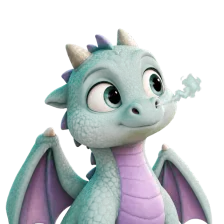 The baby dragon
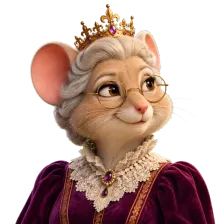 The mouse queen
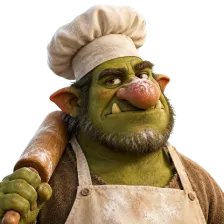 The troll cook
Look at the frames again. The same red cape and scuffed armour, the same lilac wings, the same round glasses on the queen, whether the heroes are in a cloud of flour, a dark forest or a cave full of gold. Places behave the same way: the castle kitchen and the mushroom forest look alike every time the story comes back to them. A series depends on this, because children notice at once when a favourite character suddenly looks different.
An episode is a short story with a beginning and an end, told by characters the audience already knows. Here is what you decide at each step, and what Insaga does for you.
A fairy tale, a bedtime story you made up, or a script with lines for every hero. A long tale can be one project or a series of episodes. Insaga splits the text into scenes and works out who is in each one and where it happens.
Every character gets a reference sheet: face, body, clothes and the small details that make them recognisable, like a dented helmet or a crooked crown. Every location gets its own look. Change the dragon's colour here, once, and it changes in every scene.
Among the 100+ styles, the ones that suit cartoons best are Classic Cartoon, 2D Animation, Claymation, Modern Rubber Hose, Watercolor, Quirky Minimalist and Pixel Art. You can also build a custom style from your own reference images and save it for the whole series. Whatever you pick, the whole series stays in that look.
Insaga draws each scene with the same cast. You look through the frames before anything moves and redraw only the one that came out wrong. On the Studio plan, the approved frames are then animated into short video clips.
Give each character a voice of their own from 6,000+, keep a narrator for the storybook lines and add your own music track. The timeline lines the scenes up with the narration, subtitles are generated automatically in any of 31 styles, and 15 transitions are there when you need them. Export an MP4 in 16:9 and make a YouTube thumbnail for the episode in the same studio.
Here is one hero, the young traveller from another Insaga film, drawn in three built-in styles that feel like the pages of a picture book. The scarf, the lantern and the face stay the same; only the drawing changes. Choose one look for a series and keep it.
Soft washes and the grain of paper. A calm choice for bedtime stories and gentle tales for the youngest viewers.
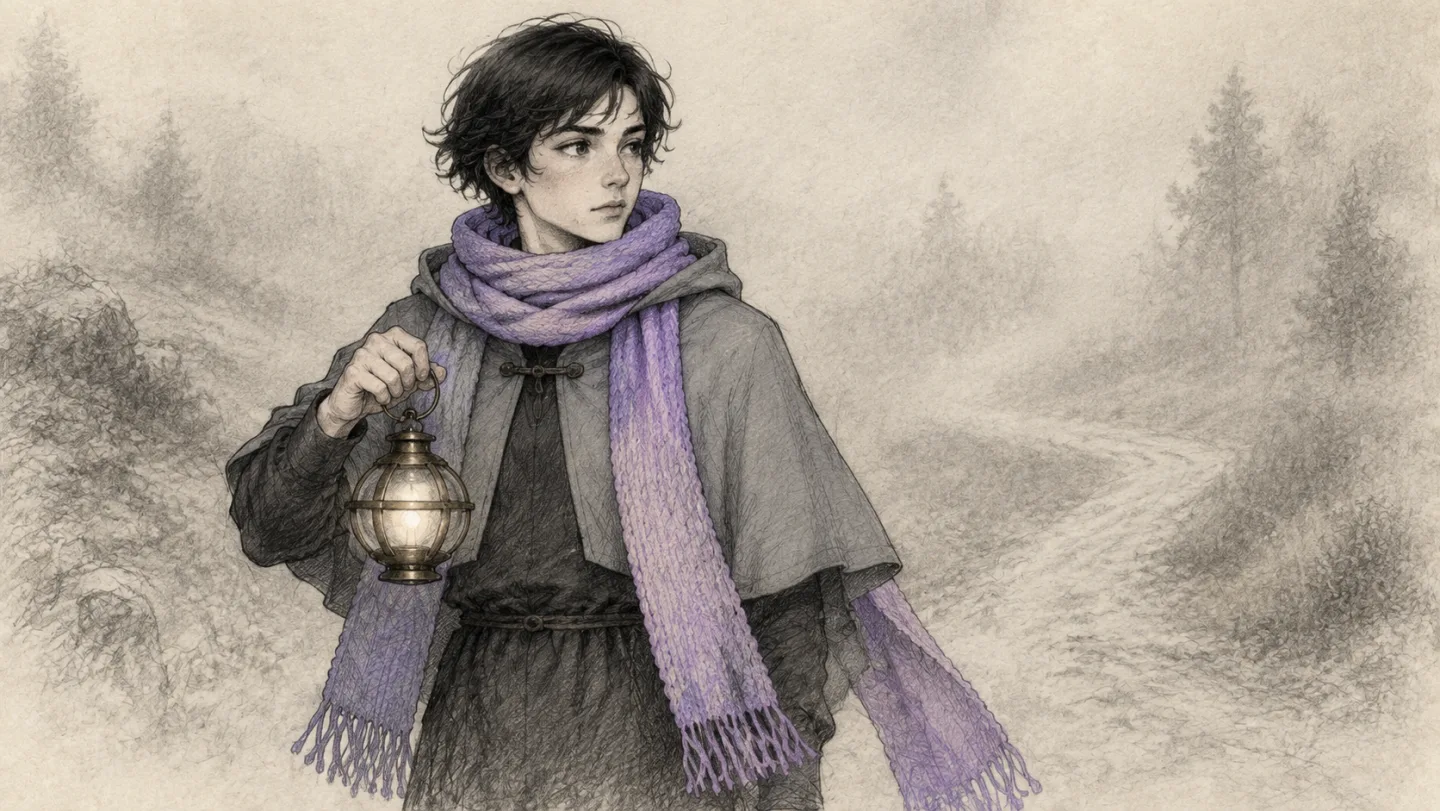
Pencil lines on warm paper, as if the book were drawn by hand. It suits fables and folk tales read aloud by a narrator.
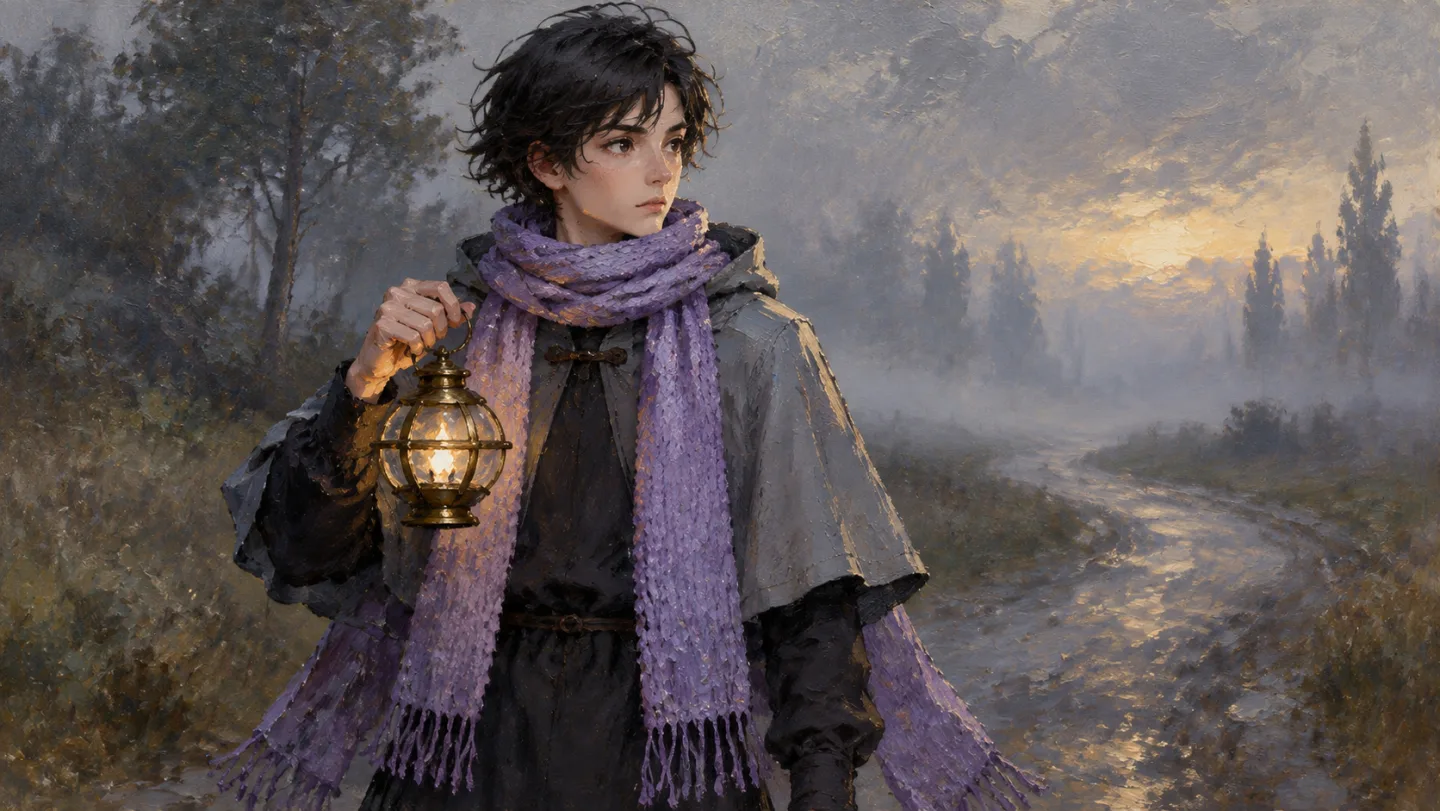
Thick brushwork and deep colour, like an old book of fairy tales. For big stories about kings, dragons and long roads.
A children's channel lives on regular episodes. These habits keep a weekly cartoon quick to make and easy for viewers to recognise.
Search for “AI cartoon” and much of what comes up turns a photo into a cartoon-style picture. That is a different job. Here is how the three kinds of tool differ.
| Insaga | Photo-to-cartoon filter | Single-clip generator | |
|---|---|---|---|
| You start with | A story or an episode script | A photo | A prompt for each clip |
| You get | A voiced cartoon episode, edited on a timeline | A cartoon-style picture | Separate short clips |
| The same hero next week | One reference sheet, reused in every scene and episode | Not what it is for | Re-described or re-uploaded for every clip |
| Voices | A voice per character, plus a narrator | None | Usually a separate tool |
| Putting it together | Timeline, transitions, subtitles, your music | Nothing to put together | Done in another editor |
A general comparison of three kinds of tool, not of specific products. Clip generators are strong at single clips from a prompt; Insaga is built for the whole episode.
Kids' and family YouTube channels. A children's channel grows on a hero the audience loves and a new episode on the same day each week. Write the script on Monday, draw and check the frames, give the dragon the same voice as last week, and publish. When you upload, YouTube asks whether the video is made for kids; that answer is yours to give. The cartoons come with a commercial-use license, as set out in the Terms.
Parents and grandparents. Turn the bedtime story your child keeps asking for into a short cartoon, with the characters they invented and the ending they like best. The story stays yours: you write it, and you see every frame before it moves.
Teachers and children's authors. A fable with a moral, a folk tale from the reading list, a picture book you wrote and want to show as an animated story. A hedgehog who takes a pie without asking is a lesson about sharing, told in a handful of scenes.
Creators pitching a cartoon series. Show the idea as a finished first episode: the cast, the world and the tone on screen, instead of a pitch deck that asks people to imagine them.
No. Insaga is not a photo filter. It makes cartoon videos from a story: it designs characters from your text, draws the scenes with them and turns the frames into a voiced, edited episode.
Each episode is its own project. Bring the heroes back by uploading their character pictures from episode one, stay in the same built-in or saved custom style, and choose the same voices, so the cast looks and sounds the way viewers remember it.
As far as the cast and the frames. A new account gets 100 credits once, with no card, which is enough to design your heroes and draw scenes with them, so you see the characters and the style before paying. Animation, voiceover and export are on paid plans; frames are animated on the Studio plan, where image and animation generation is unlimited.
Soft, readable looks. Among the built-in styles, Watercolor, Classic Cartoon, 2D Animation and Claymation are good places to start. For a 3D look like the hedgehog knight's world, pick a 3D style or build your own from reference images and keep it for the whole series.
Yes, if you give them the same voice each time. Voices are chosen per character from 6,000+, plus a narrator, and voiceover is included on paid plans. Mouths that move in time with the words need lip sync, which is in early access and is being opened gradually.
All of it. You write the story, see every frame before it is animated, redraw anything that is not right, choose the voices and cut the episode yourself on the timeline. Nothing is published for you: you download the file and upload it where you choose.
Yes. A newcomer gets a reference sheet the first time they appear in the story, and from then on they are drawn from it like everyone else. The regulars keep the sheets they already have, so a new neighbour in episode seven does not change how the hedgehog looks.
An MP4 in 16:9, or 2.35:1 for a wider cinema look, exported in 720p, 1080p or 4K with your subtitles and music. On paid plans it has no Insaga watermark.
Paste a fairy tale or the script of your first episode and meet your heroes. The first 100 credits are free, and you do not need a card.
Works in the browser. No install.