
AI animation styles
Cinematic AI video from your script, lit like a film
Cinematic is the style for stories that should look shot, not drawn: hard directional light, warm highlights against teal shadows, haze in the air and a shallow focus that picks out one face. Paste a script and Insaga draws every scene in this look with the same characters, then turns the frames into a voiced film.
100 free credits · no card
What the Cinematic style looks like
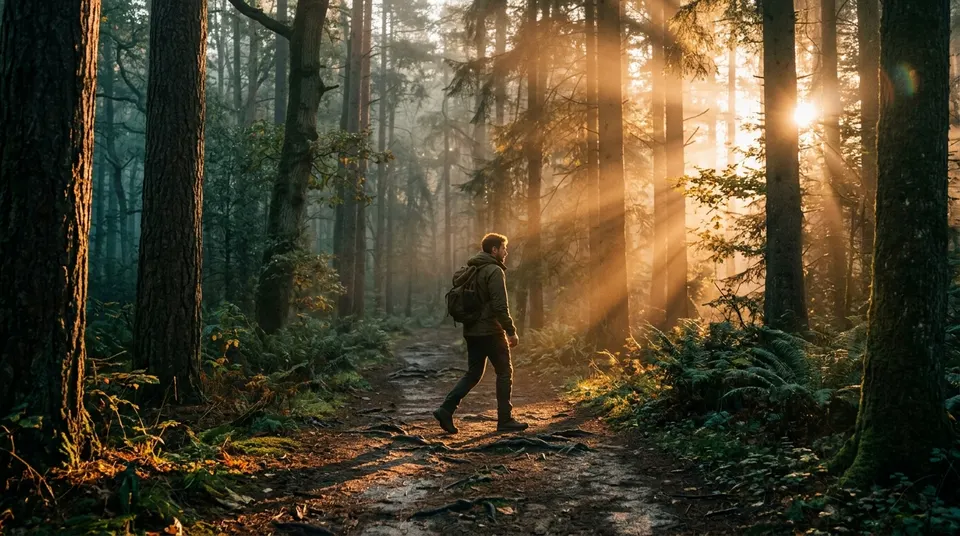
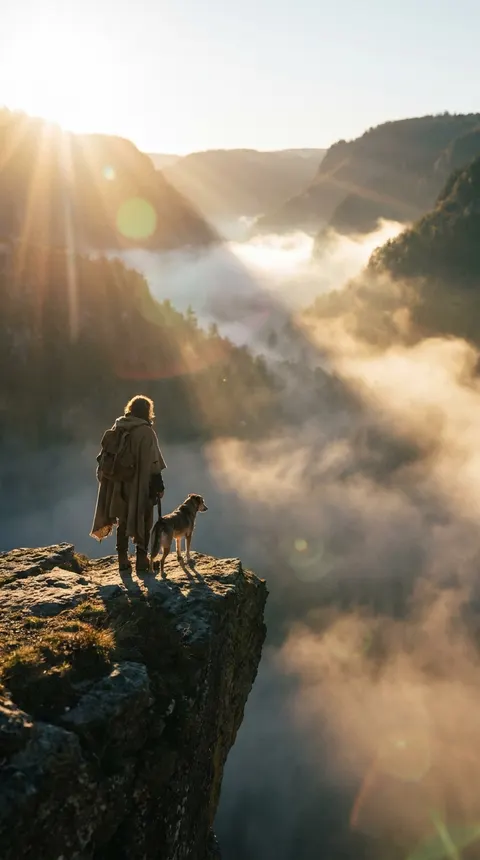
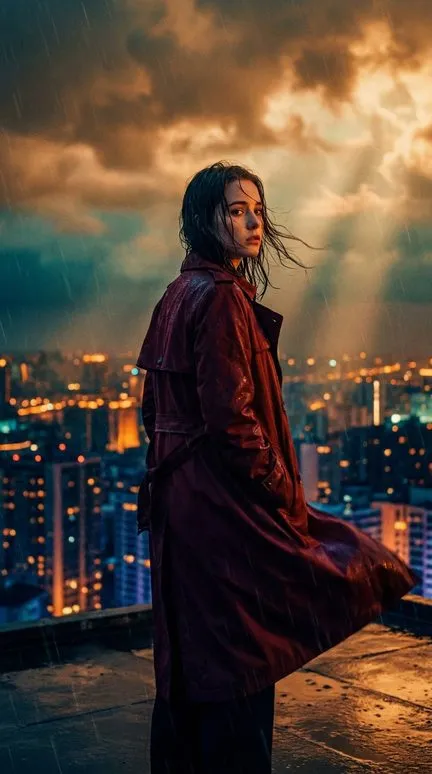
There are no outlines. Shapes come from light: a strong key light from one side at about 45 degrees, a softer fill on the other, and shadows that stay deep and slightly blue. The color is graded the way films are graded: amber and orange in the highlights, teal in the shadows, muted mid-tones and one or two vivid accents. Bright sources get lens flares and a soft bloom, and the air carries haze, so sunlight turns into visible rays, like the beams between the pines in the forest frame.
People have realistic proportions, and their skin looks lit rather than painted. Focus is shallow, so the background falls into bokeh and the eye goes where the frame sends it. Compositions follow the rule of thirds, with leading lines (a path, a railing, a street) and plenty of empty space: in the vertical frame the traveller and the dog take up a tenth of the picture and the fog does the rest. A fine film grain sits over everything. The style stays away from flat color, cartoon shapes and anything that reads as illustration.
What to make in the Cinematic style
- Book and series trailers
- Sixty seconds that sell a story: a location in fog, the hero turning to camera, a door that should stay shut. Graded light makes a trailer look as if it had a budget.
- Short dramas and thrillers
- Two or three characters, a few locations, one strong conflict. Hard light and shallow focus hold tension in close-ups, where a drawn style would need exaggerated faces.
- Adventure and survival stories
- Mountain passes, forests at dawn, a road through a burning landscape. Wide frames with haze and sun rays give the narration a sense of distance.
- History told as drama
- The night before a battle, an expedition that never came back, a ship leaving port. A documentary look would observe these moments; Cinematic stages them.
More frames from stories in this look
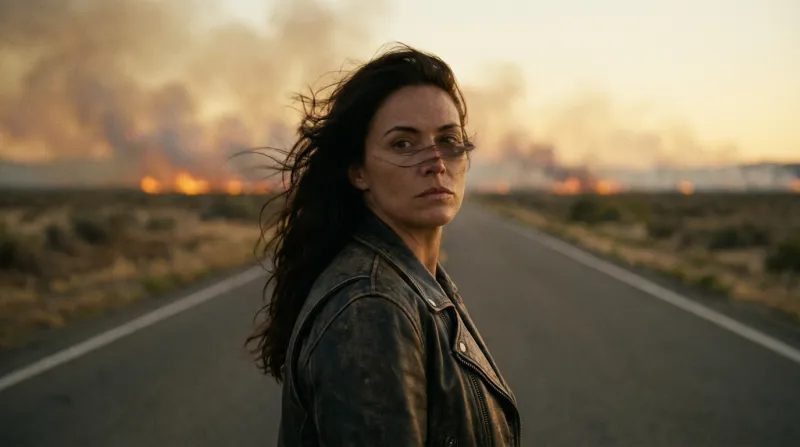
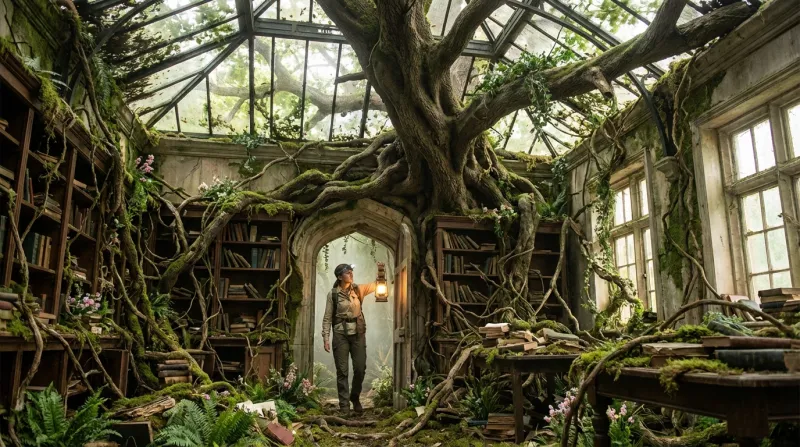
Frames from stories made in Insaga in this look: a woman on an empty highway with a wildfire behind her, and an explorer with a lantern entering a library a tree has grown through. Same rules in both: one main light, warm against cool, a background softened by haze.
How to make a cinematic video in Insaga
The style decides how each frame is lit. The camera preset decides how the frames follow each other. A film look needs both.
Paste the script, pick the style
Paste your script or story, then choose Cinematic in the “Choose a style for your story” window. The style is set before generation, and every frame of the story is drawn in it.
Use Characters mode and the Cinematic camera
In Characters mode each person gets a reference sheet, so faces and costumes hold. The Cinematic camera works in this mode and runs a full cycle of shots: a low-angle establishing wide, then mediums, wides and close-ups.
Read the frames as a sequence
Check that the light comes from the same side within a scene and that shot sizes change. If one frame breaks the rhythm, redraw only that one.
Animate, voice, export wide
On the Studio plan each approved frame becomes a clip of about eight seconds. Add voices, your own music and subtitles on the timeline, then export an MP4 in 16:9 or in 2.35:1 for a cinema frame, up to 4K.
Cinematic next to Realism, Noir and 2.5D
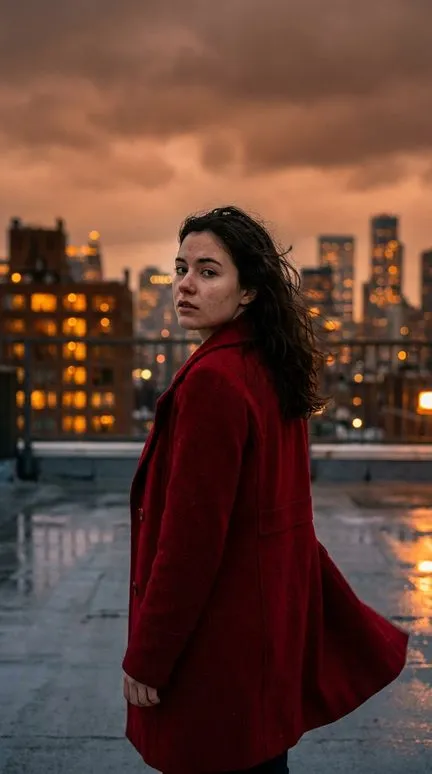
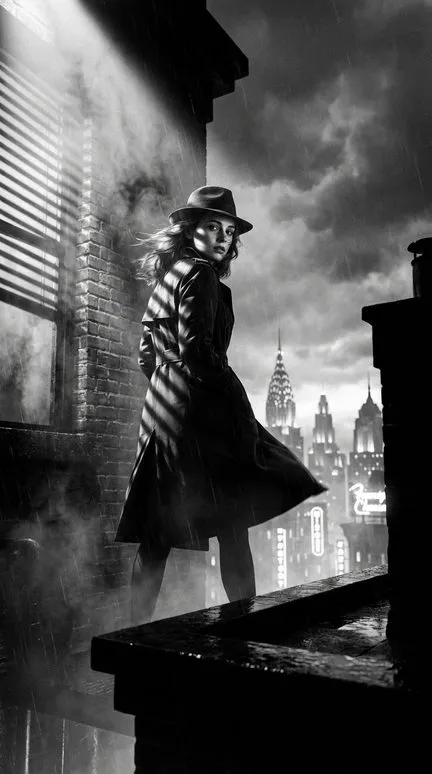
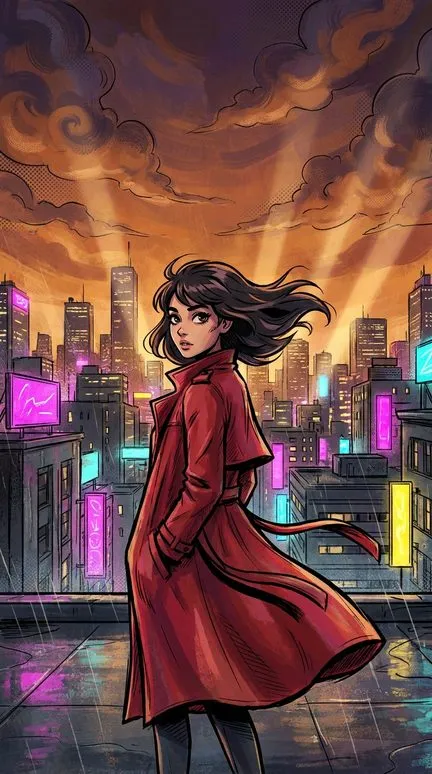
Realism uses the same human proportions but leaves the color alone: neutral daylight, true skin tones, pores and fabric weave, like a good photograph. Cinematic grades every frame and lights it on purpose. Noir pushes the same directional light to its limit and takes the color away: black and white, blinds throwing stripes, a 1940s city in the rain. 2.5D Spider-Verse keeps the grading and the sun rays but draws ink outlines and halftone over the forms, so the heroes read as a comic book in motion. The heroine below appears in all four.
Writing scenes for a cinematic look
Give every scene a light source and a time of day. “Kitchen, evening, one lamp over the table” lights a scene; “a kitchen” leaves the style guessing, and the frame comes out flat. Dawn, golden hour, blue hour, rain at night and firelight all suit the grading. Fog, dust and smoke turn light into rays.
Think in shots. A scene that opens on a place and then moves to two faces reads as film; five close-ups in a row do not. Put scale into the text (“far below, the town”, “she is alone on the roof”) and the wide frames will use it.
Where it does not fit: explainers with diagrams and on-screen text, children's stories, comedy built on exaggerated faces. Choose 2D Animation or Classic Cartoon for those. Photoreal faces also meet a stricter safety filter in the image model, so show violence through its aftermath rather than the blow.
Questions about this style
Is the Cinematic style the same as the Cinematic camera?
No. The style is how each frame looks: light, grading, grain, depth of field. The camera preset is the order of shots: wide, medium, close. The style works with any camera; the Cinematic camera itself is available in Characters mode.
Can I export in a 2.35:1 widescreen frame?
Yes. Export offers 2.35:1 as well as 16:9, in 720p, 1080p or 4K, without an Insaga watermark.
Can it look like a particular film or director?
Describe the film's mood in plain words: “cold blue night, one warm window”, “dusty yellow light, long shadows”. The style will not copy a specific film or draw characters and actors from existing movies. Invent your cast; borrow only the mood.
The frames look too orange. Can I change the grading?
The style leans toward warm highlights and teal shadows. For a colder film, set scenes at night, in rain or under an overcast sky, and add one of the 14 color filters on the timeline. For neutral color, Realism is the better starting point.
How many frames does a minute of film need?
An animated clip runs about eight seconds, so a fully animated minute takes seven or eight frames. Calm narrated scenes can hold one frame longer under a slow camera move from the timeline, which needs fewer.
Can I see my characters in this look before paying?
Yes. A new account gets 100 credits with no card, enough to create the characters and draw the first scenes in Cinematic. Animation, voiceover and export are on paid plans; see pricing.
Keep going
Light your first scene
Paste the opening of your script and choose Cinematic. The first frames will show whether your story wants this light.