
AI animation styles
Realistic AI video from a script, as if filmed on a camera
Realism draws your story the way a camera would record it: true colors, soft daylight, skin with pores and wrinkles, wool and rust you can almost touch. Insaga turns a script into scenes in this look, keeps the same people from the first frame to the last, and adds voice, animation and editing.
100 free credits · no card
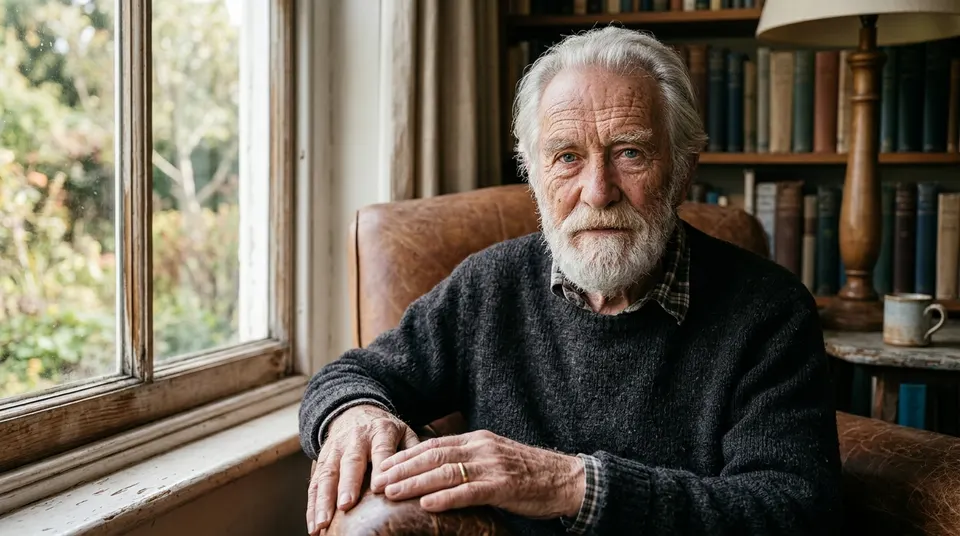
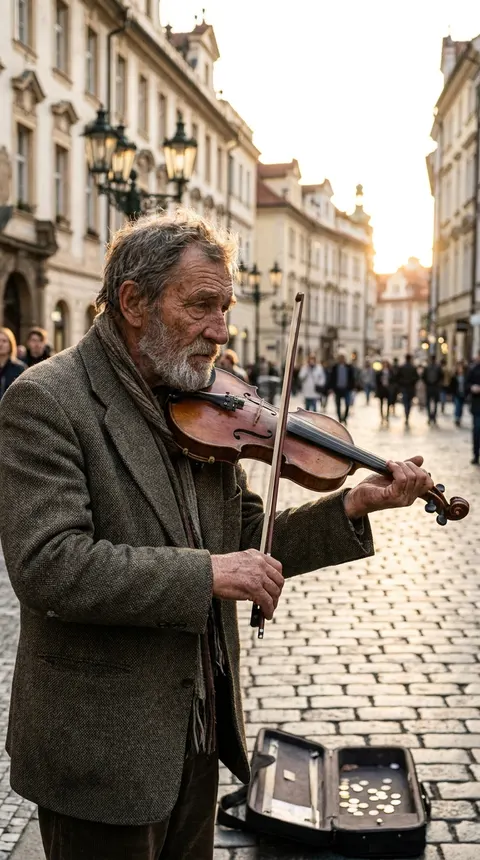
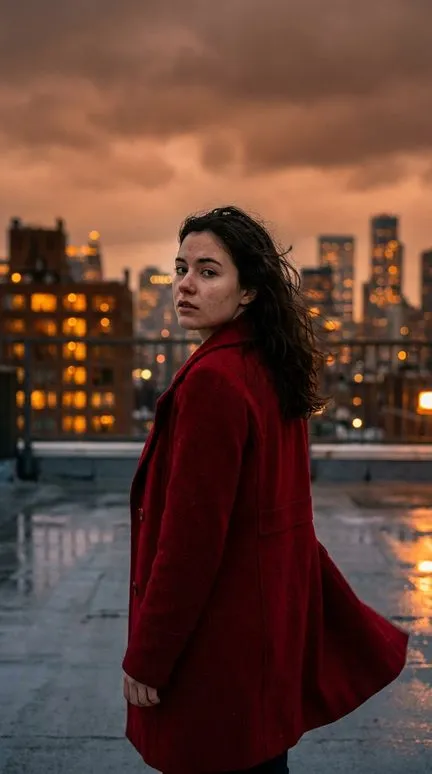
What the Realism style looks like
Nothing is drawn on top: no outlines, no brushstrokes, no stylized color. White balance is neutral, so a red coat stays the red it is and skin keeps its real variations. Light behaves physically: soft daylight from a window, practical lamps in a room, shadows with soft edges, and small true highlights on eyes, wet pavement, metal and glass.
The style lives in texture. On the old man by the window you can count the wrinkles and see the knit of the sweater and the knuckles of his hands; on the street violinist, the herringbone of the jacket and the grain of the wood. Proportions are anatomically correct, bodies are ordinary rather than idealised, and places are real places at the right scale. Depth of field follows a lens: a portrait reads like an 85 mm shot with a soft background, a wide scene like a 24 mm frame where the street stays sharp far back.
What to make in the Realism style
- True stories and reconstructions
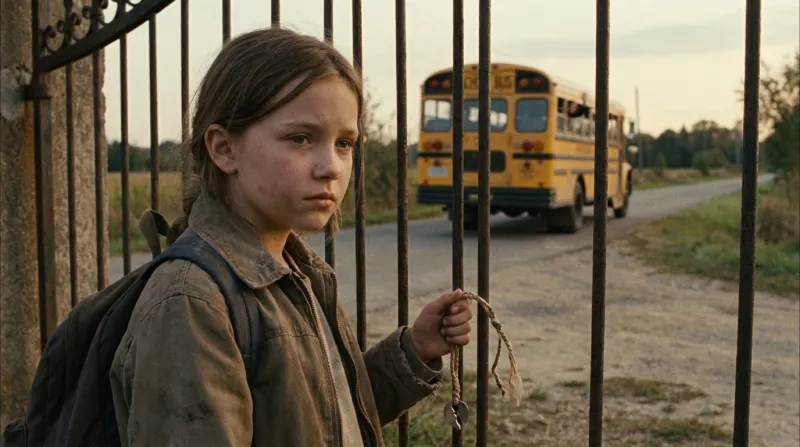
- Channels that retell real events, from a disappearance to a rescue, need people who look like neighbours, not actors. A girl at a rusty gate as the school bus leaves says more than a narrator can.
- Life stories and memories
- A grandfather's war, a village childhood, a family that emigrated: this kind of narration rests on faces that carry their age. The camera can come close without anything looking painted.
- Everyday explainers with a real feel
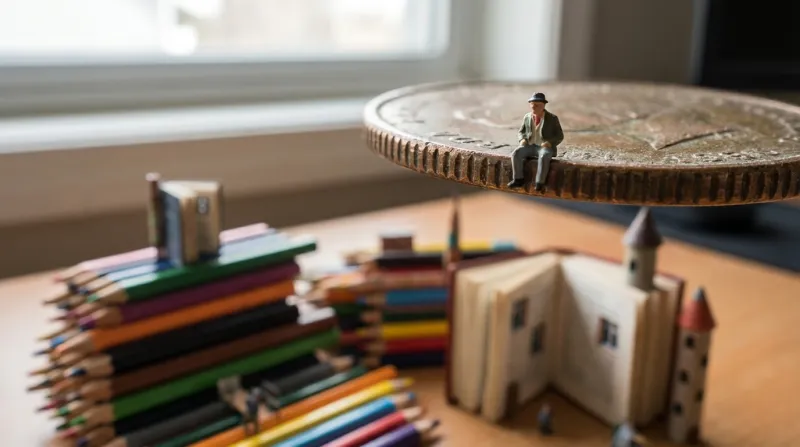
- Money, habits, time. A small scene on a desk, like a tiny figure sitting on the edge of a coin, makes an abstract topic concrete without a single chart.
- Nature and quiet places
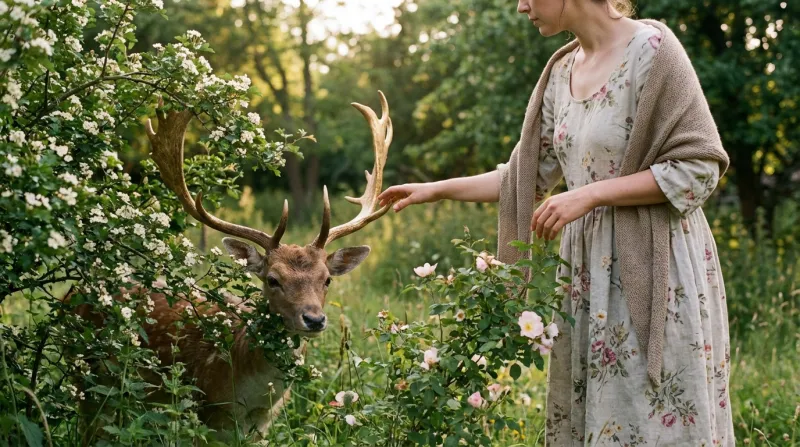
- Countryside, gardens, animals. Soft evening light on a deer among wild roses suits a slow, calm voice.
Other stories told in Realism
Frames from stories made in Insaga in this look: a girl at a gate as the school bus drives off, a miniature scene on a desk, a woman reaching out to a deer in an evening garden. None of them is graded like a film; the light is simply the light of the place.
How to make a realistic video in Insaga
Realism is unforgiving: a wrong hand or a stray letter shows at once. These steps keep it under control.
Choose Realism before generating
Paste the script and pick Realism in the “Choose a style for your story” window. Every frame of the story is drawn in it, including the character sheets and locations.
Describe people like a casting director
Age, build, hair, what they wear and how worn it is. In Characters mode, with Nano Banana 2 or GPT Image 2.5, each person gets a photoreal reference sheet and keeps one face in every scene.
Pick the camera, then check the details
Portrait keeps faces and conversations close; Panoramic gives the street, the field and the weather. Check hands, text on signs and crowds in each frame, and redraw a single frame if something is off.
Voice it and cut it
Choose a narrator from 6,000+ voices, give the people in the story voices of their own and let the timeline line the scenes up with the narration. On the Studio plan the frames are animated into clips of about eight seconds.
Realism next to Cinematic, Oil Painting and Watercolor
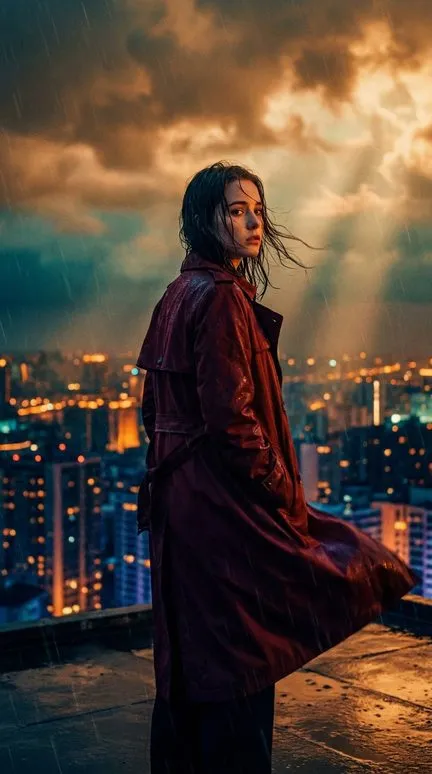
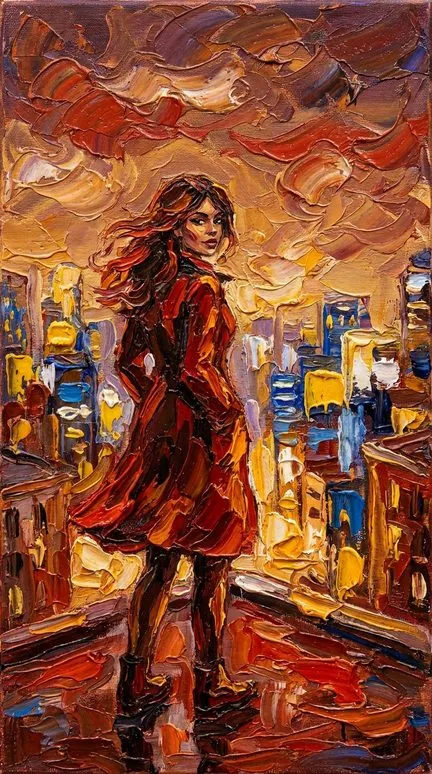
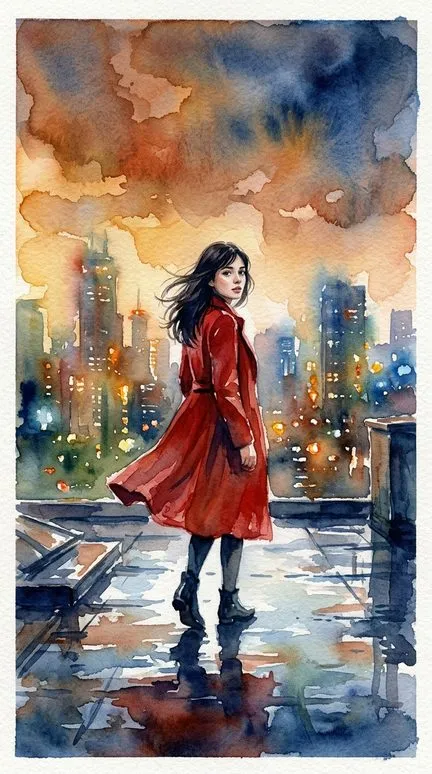
Cinematic shares the proportions but stages every frame: amber and teal grading, sun rays, lens flares. Realism leaves the light as it would have been on the day. Oil Painting keeps realistic figures and dissolves them into thick strokes, so faces become impressions and the canvas shows through. Watercolor moves furthest from the photograph: transparent washes, the white of the paper for light, edges that melt away. The rooftop heroine below makes the step from photograph to painting.
Writing scenes for a realistic look
Realism is built from materials and conditions, so name them: wool, rust, wet asphalt, a chipped windowsill, late afternoon, drizzle. “A man sits at home” gets a generic room; “an old man in a worn leather armchair by a window, bookshelves behind him” gets the frame at the top of this page.
Keep scenes plain. A photoreal frame shows every mistake, and the more hands, faces and written words it holds, the more there is to check. Two people and one place per scene work better than a crowded market. Leave out brand names and logos; they tend to come out garbled.
Where it does not fit: fairy tales, talking animals and invented creatures look uncanny when rendered like photographs, and so does anything meant for small children. Choose Watercolor or Claymation for those.
Questions about this style
Will the result look like real footage?
It comes close to photography, but it does not replace filming. Check hands, small text and crowds in every frame and redraw the ones that give themselves away. We would not promise that no viewer will ever notice.
Can I make a video about a celebrity or another real, well-known person?
No. The studio does not draw real celebrities or recognisable people: famous names in a script are replaced with a general description before a frame is drawn, and the image model refuses real likenesses. Tell such stories through places, objects and invented characters.
Why was one of my scenes rejected?
Photoreal scenes pass through the image model's safety filter, which is strict about violence, blood, weapons aimed at people and anything that looks like a real person. Insaga first softens the wording and tries again by itself. If the scene is still refused, rephrase it (show what happened after, not the moment itself) and redraw that frame.
Which image model is best for realism?
For a story with a recurring cast, use Nano Banana 2 (the default) or GPT Image 2.5 in Characters mode: both keep the same faces. Nano Banana Pro works only in Illustration mode, without character sheets, which suits a narrated documentary where every scene is a new picture.
What can I try without paying?
A new account gets 100 credits with no card: enough to set up the main characters as photoreal reference sheets and draw a few scenes. Animating, voicing and exporting the video need a paid plan (pricing).
Keep going
Start with one real-looking scene
Paste a page of your story and choose Realism. Look at the first frames the way a viewer would, then decide how far to take it.