
Alternatives
Higgsfield alternative: unlimited that isn't a 7-day window
Higgsfield is a cinematic AI video and image suite: camera-move presets, VFX effects and a roster of third-party models behind one interface, plus Cinema Studio for planning and generating the shots of an AI film and Higgsfield Original Series, a streaming platform for AI series. Insaga is built for the other half of the job: you paste a story or script, it builds the cast and locations, renders every frame in a consistent style, animates the shots, records the voiceover and assembles the video. Below is a plain comparison — what Higgsfield does better, where you hit a wall, and what a switch actually looks like.
An honest look at Higgsfield
What Higgsfield does well
- Cinematic camera presets and VFX effects that are hard to prompt by hand
- Many third-party image and video models under one login
- Cinema Studio plans and generates the shots of an AI film; Original Series streams long-form AI shows
Where Higgsfield stops
- «Unlimited» is windowed per model and capped by fair use; everyday generations still burn credits
- Cinema Studio still generates a film shot by shot, and every shot outside a free window draws credits — a 200-shot episode is a credit budget, not a flat fee
- A character that must survive 200 shots is your job: references per generation
What a whole story looks like in Insaga
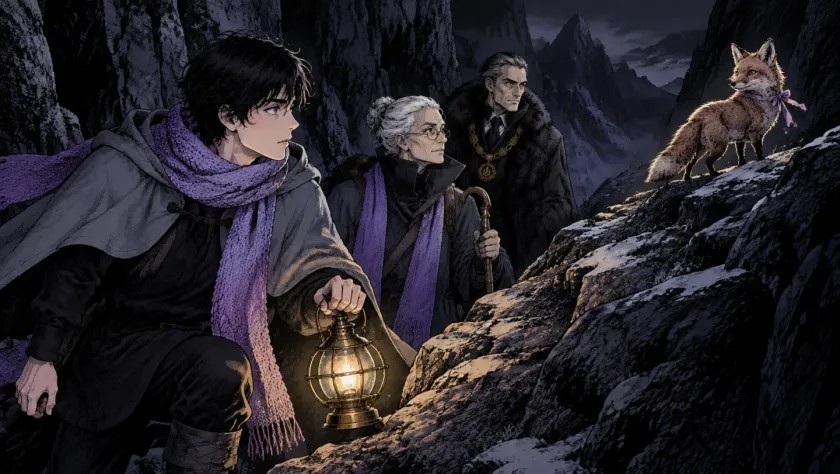
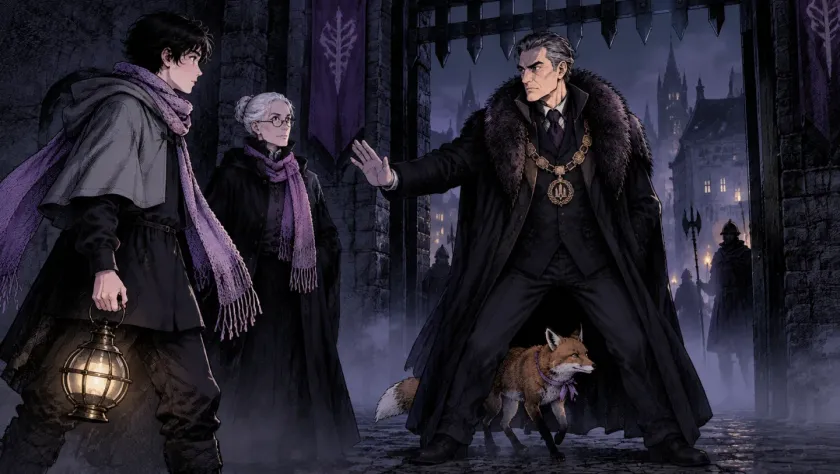
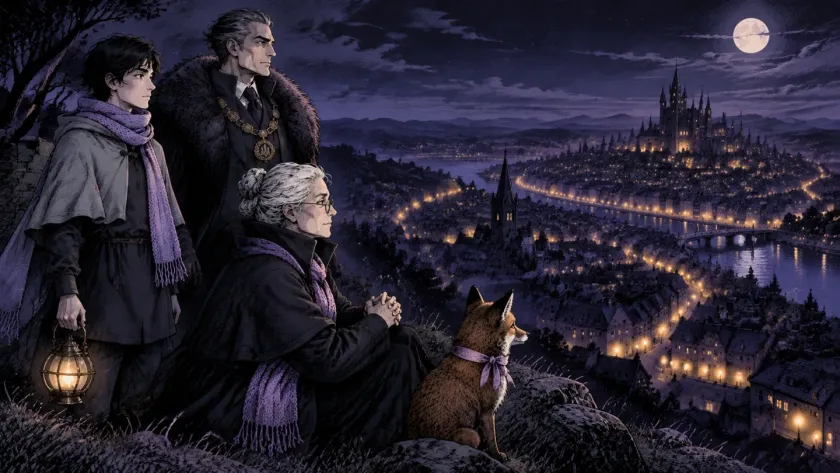
Four frames from «The Lamplighter», made in Insaga from one written story: the same cast in every shot.

Higgsfield vs Insaga at a glance
| Insaga | Higgsfield | |
|---|---|---|
| Unlimited generation | Yes on Studio — images, animation, voiceover and export with no credits or windows, at a fixed monthly price | Only in time-limited windows on selected models, with a fair-use cap |
| Whole story or one prompt? | Full pipeline: story → characters & locations → frames → video → voiceover → montage → export | Script → storyboard, then shots are generated one by one |
| Character consistency | Cast and locations are built once and stay consistent across hundreds of frames | Only via reference images you attach per generation |
| AI voiceover | Yes, on paid plans — 6,000+ AI voices, a voice per character plus a narrator, or upload your own narration | Yes |
| Montage / editing | Yes — built-in editor: auto-assembly, 15 transitions, 12 camera motions, 14 filters, automatic subtitles, your own music; MP4 export in 720p, 1080p or 4K (16:9) with no Insaga watermark | Yes |
Pricing: Higgsfield vs Insaga
Higgsfield (September 2026). Paid plans from $19 per month, with larger Plus and Ultra tiers and a discount on annual billing; every tier is a monthly credit allowance. «Unlimited» means free generations on selected models during limited windows — 7 to 33 days for new flagship models, up to a year for older ones — and past a few hundred generations a fair-use cap drops your queue priority.
Insaga. Insaga starts free: 100 credits once, no card, for characters, locations, frames and covers — animation, voiceover and export are on paid plans. Director adds voiceover, export and custom styles, with daily quotas of 250 images and 30 covers, but no animation. Studio is the unlimited plan: images on Nano Banana 2, Nano Banana Pro and GPT Image 2.5, ~8-second 16:9 animated shots on Google Veo models, voiceover and export — no credits, a fixed monthly price, autopilot and an animation queue of up to 500 videos. Studio Max doubles parallel generation (48 threads instead of 24), raises the queue to 2,000 videos and adds GPT Image 2.5 Thinking. See current Insaga plans
The short answer
Keep Higgsfield for one-off cinematic clips and effect shots. If you publish narrative videos every week — explainers, cartoons, story channels — Insaga's Studio plan is the unlimited that doesn't expire, and the whole job runs in one project: story, cast, frames, animation, voice and cut.
Switching from Higgsfield: what the workflow looks like
Paste your story
A script, a short story, a whole book or a video idea. Insaga breaks it into scenes.
Approve the cast
AI proposes characters, locations and props. Adjust anything; from here they stay on-model.
Generate and animate
Every frame in one of 100+ styles (or a custom style from your references, Director and up), in 16:9 or 2.35:1. Then ~8-second animated shots on Google Veo models — unlimited on Studio.
Voice, montage, export
A voice per character plus a narrator (or your own recording), auto-assembly on the timeline, transitions, automatic subtitles and your own music, then a 16:9 MP4 in 720p, 1080p or 4K for YouTube.
Frequently asked questions
Is Insaga a free Higgsfield alternative?
You can start free: 100 credits once, no card, for characters, locations, frames and covers. Animation, voiceover and export are on paid plans, and unlimited generation is on Studio, which replaces credit packs with a fixed monthly price.
What does Insaga do that Higgsfield doesn't?
It turns a whole story into one finished video in one place. Paste a script or a whole book and Insaga returns a consistent cast, every frame, animation, a voice per character and a subtitled cut — with no per-clip credits on Studio.
Is generation on Insaga really unlimited?
Yes on Studio and Studio Max: images, animation, voiceover and export with no credit tracking. Fair use works through the queue: Studio holds up to 500 videos in the animation queue, Studio Max up to 2,000 and runs twice as many generations in parallel (48 threads vs 24). Free and Director are not unlimited: Free is 100 one-time credits, Director has daily quotas of 250 images and 30 covers.
Which AI models power Insaga?
Images: Nano Banana 2, Nano Banana Pro and GPT Image 2.5, plus GPT Image 2.5 Thinking on Studio Max. Animation: Google Veo models, ~8-second 16:9 shots. You never buy credits per model.
Should I cancel Higgsfield?
Only if you were using it to produce narrative videos. If you need Higgsfield for a specific one-off asset, keep it as a side tool — Insaga is the place where the whole video gets made.
Other comparisons
Try the Higgsfield alternative that finishes the video
Start with 100 free credits, no card: paste a story and get its cast, locations and frames. Voiceover and export start on Director; animation is on Studio.
All product names and trademarks belong to their respective owners and are used here for identification and comparison only. Competitor prices and limits are quoted from public pricing pages as of September 2026 and can change — check the vendor's site before deciding.